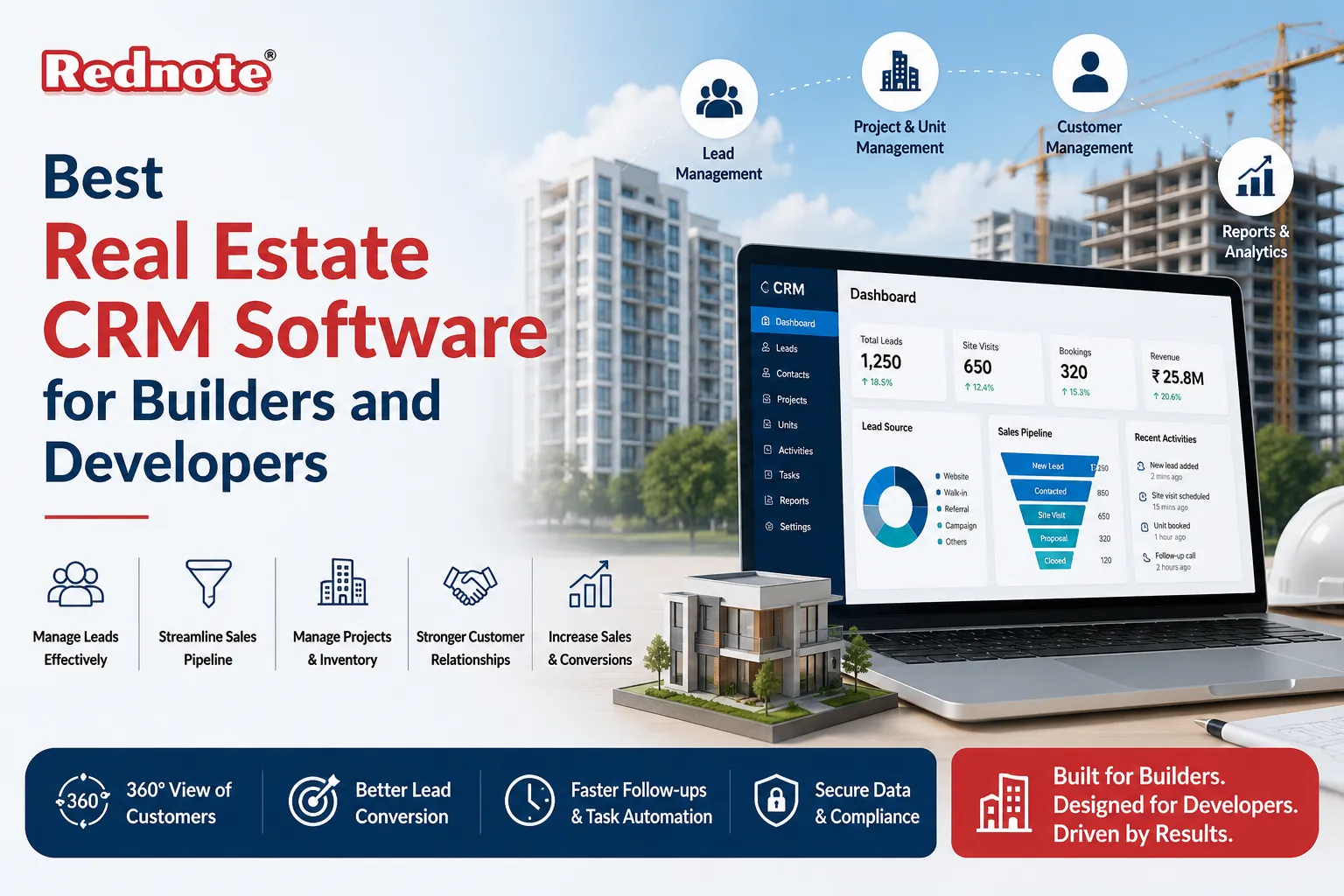
Best Real Estate CRM Software for Builders and Developers
The real estate development industry moves fast. You're juggling project timelines, sales teams, client follow-ups, and compliance deadlines often across multiple properties. Without the right tools, critical leads slip through the cracks, team communication breaks down, and opportunities get missed.
This is where Real Estate CRM Software for Builders and Developers become game-changing. A purpose-built CRM isn't just a contact database it's your operational backbone that connects sales, project management, and customer relationships into one cohesive system.
In this guide, we'll walk you through what to look for, how different platforms compare, and which solutions work best for builders at different scales. Whether you're managing a small boutique development firm or a large regional builder, you'll find actionable insights to transform how you operate.
Why Builders and Developers Need a Dedicated CRM Solution
Most builders don't start with CRM software. They start with spreadsheets, emails, and fragmented notes scattered across team members' inboxes. This approach works for a while until it doesn't.
Here's what happens without a proper system:
- Leads go cold. A prospective buyer's inquiry sits in someone's email folder and never gets followed up. By the time you circle back, they've already purchased from a competitor.
- Projects lack transparency. Your sales team doesn't know the status of construction. Your project managers don't know what promises were made to clients. Finger-pointing ensues.
- Compliance becomes chaotic. Real estate development involves regulatory requirements, disclosures, and documentation. Without centralized tracking, you risk missed deadlines and legal exposure.
- Team efficiency plummets. Every person invents their own system. New team members spend weeks getting up to speed. Decision-making slows because nobody has consistent data.
Builder CRM Software solves these problems by creating a single source of truth. Every interaction, every project phase, every payment is recorded. Your team has visibility. Your clients get consistent communication. Your business runs predictably.
What to Look for in a CRM Platform for Construction and Real Estate
Before comparing specific products, understand the core features that matter for your business.
Lead Management and Sales Pipeline
A robust CRM tracks every prospective buyer from first inquiry to closing. Look for:
- Automated lead capture from your website, portals, and ads
- Lead scoring that identifies hot prospects automatically
- Pipeline visualization so you see deals at every stage
- Task automation that reminds your team when to follow up
Project Integration
Unlike standard CRMs, CRM for Real Estate Developers needs to bridge sales and construction. This means:
- Real-time project status visible to sales and clients
- Document management for blueprints, permits, and contracts
- Timeline tracking linked to client milestones (foundation, framing, final inspection)
- Change order management that doesn't disrupt client communication
Client Communication and Portal
Modern buyers expect transparency. Your CRM should include:
- Client portals where buyers track construction progress with photos and updates
- Automated notifications for key milestones without bombarding them
- Messaging history so every conversation is documented
- Payment tracking integrated with accounting
Reporting and Analytics
You can't improve what you don't measure:
- Sales dashboards showing conversion rates, average deal size, and sales cycle length
- Team performance reports that highlight top performers and bottlenecks
- Project profitability analysis so you know which developments perform well
- Custom reporting built without technical skills
Integration Capabilities
Your CRM shouldn't exist in isolation. It needs to connect with:
- Accounting software (QuickBooks, Xero) for financial accuracy
- Email and calendar (Gmail, Outlook) for seamless communication
- Document signing platforms (DocuSign) for faster closings
- Email marketing tools for drip campaigns to past buyers
The Evolution of CRM Technology for Construction
The Evolution of CRM Technology for Construction
Understanding where CRM has come from helps you appreciate what's possible today.
Five years ago, Construction CRM Software was basically generic business CRM adapted for builders. Features were generic. Workflows didn't match construction reality.
Today's platforms are purpose-built. They speak the language of developers:
- They understand project phases and construction delays (something a buyer in another industry wouldn't need)
- They track not just sales but also customer satisfaction across the build process
- They integrate with construction management tools, not just accounting systems
- They provide visibility into which neighborhoods, lot types, and price points convert best
This evolution reflects that builders have become more sophisticated in how they use data. You're no longer just tracking leads; you're analyzing what drives profitability and predicting future performance.
What Real Estate Sales CRM Differs from General Business CRM
A generic CRM is designed for sales teams selling products or services. Real Estate Sales CRM is fundamentally different because real estate selling cycles are:
- Longer. Buying a home takes months, not weeks. Your CRM needs to support long-term relationship building, not quick closes.
- More complex. Multiple stakeholders are involved—spouses, financial advisors, parents, family members. Your CRM must track every decision-maker and their concerns.
- More regulated. Real estate is heavily regulated. Your CRM must document compliance, track required disclosures, and maintain audit trails.
- More tied to external events. Mortgage approvals, inspection results, and appraisals happen outside your control. Your CRM needs to accommodate these external dependencies.
This is why trying to use Salesforce or HubSpot "out of the box" for real estate usually fails. The workflows don't align. The terminology doesn't match. The sales cycle assumptions are wrong.
Key Features That Drive Results for Builders
Beyond general capabilities, certain features deliver outsized value for development companies.
Automated Buyer Nurturing
When you're managing multiple active projects, staying in touch with every prospect is hard. Property Management CRM Software with automation handles this:
- Sends educational content to prospects (financing tips, neighborhood guides, home buying checklists)
- Triggers personalized follow-ups based on actions (visited website, downloaded floorplan, attended open house)
- Prevents team from having to manually check-in on dozens of leads daily
The Result: Studies of CRM adoption in real estate show that automated nurturing increases conversion rates significantly because prospects are engaged consistently, not sporadically.
Multi-Property Campaign Tracking
Most builders work multiple developments simultaneously. A proper CRM lets you:
- Create separate campaigns for each property or phase
- Measure which projects attract buyers
- Identify cross-selling opportunities (buyers in Phase 1 become prospects for Phase 2)
- Understand seasonality and market timing by project
The Result: You stop guessing which properties will sell and start predicting inventory needs and marketing focus.
Buyer Journey Documentation
From first contact to post-close follow-up, every touchpoint should be recorded:
- Initial inquiry (email, phone, website form)
- Showings and walkthroughs (which units, which times, reactions)
- Design consultation (customizations chosen, changes requested)
- Financing process (loan approval timeline, contingencies)
- Construction phase (progress updates, site visit notes)
- Closing and handoff (keys delivery, warranty information)
The Result: If a customer has a question or issue, any team member can see the full history. This prevents repeating information and builds trust.
Choosing the Right Platform for Your Scale
Not every CRM is right for every builder. The best choice depends on your size and complexity.
For Boutique Developers (1-3 active projects)
You need simplicity and ease of use. Look for:
- Straightforward interface that doesn't require extensive training
- Quick implementation without lengthy customization periods
- Essential features without unnecessary complexity
- Good mobile access for on-site needs
Platforms like Follow Up Boss, Real Geek, or Zvelo fit this profile. Setup is quick and streamlined.
For Regional Builders (3-10 active projects)
You need more sophistication:
- Scalable architecture that handles growth
- Custom workflows for your specific processes
- Advanced reporting to manage multiple projects
- Team roles and permissions to maintain security
Mid-market platforms like Constellation Real Estate CRM, Inside Real Estate, or industry-specific versions of Pipedrive work well here.
For Large Developers (10+ active projects)
You need enterprise-grade capability:
- Unlimited customization through APIs and integrations
- Advanced analytics for business intelligence
- Multi-entity support for different legal entities
- Dedicated support and implementation teams
Enterprise platforms like Salesforce Real Estate Cloud, Constellation Enterprise, or custom-built solutions on top of robust platforms are necessary.
Implementation: Making the Transition Smooth
Choosing the right CRM is 30% of the battle. Implementation is the other 70%.
Phase 1: Planning (2-4 weeks)
- Audit your current process and document workflows
- Identify what data you have and where it lives
- Define clear success metrics (lead response time, conversion rate improvement, team adoption rate)
- Assign a CRM champion to lead the change
Phase 2: Setup and Configuration (2-6 weeks)
- Work with your vendor to configure the system
- Create custom fields for your industry-specific data
- Build integration connections to your existing tools
- Import historical data (carefully—clean it first)
Phase 3: Training and Rollout (1-2 weeks)
- Run focused training sessions for different roles (sales, project managers, admin)
- Create simple documentation and video walkthroughs
- Go live in phases (maybe start with one team) rather than all-at-once
- Have your CRM champion available to answer immediate questions
Phase 4: Optimization (Ongoing)
- Monitor adoption and identify resistance areas
- Refine workflows based on real usage
- Analyze early results and adjust
- Plan for advanced features you'll roll out later
Common Mistake: Choosing a CRM, throwing it at your team without proper setup, and declaring it a failure when adoption is low. The platform is only as good as your implementation.
Real-World Example: Suburban Development Company
Real-World Example: Suburban Development Company
Consider a mid-sized builder managing three residential developments simultaneously:
Before CRM:
- Sales team maintains individual spreadsheets
- Project managers email status updates randomly
- Clients get inconsistent communication
- Leadership has no real-time dashboard of performance
- Average deal takes longer to close
After implementing dedicated Builder CRM Software:
- Centralized pipeline shows all active prospects across three projects
- Automated workflow sends buyers construction updates monthly
- Clients see progress via branded portal with photos from their lot
- Dashboard shows which neighborhoods convert best (North Ridge: 68%, South Park: 52%)
- Average close time improves noticeably
Key Impact: With streamlined operations and better tracking, the company closes additional sales per month. The system pays for itself through improved efficiency and lead conversion.
This isn't hypothetical. These outcomes are typical when builders move from fragmented systems to a cohesive CRM.
Common Mistakes to Avoid
1. Choosing CRM Based Primarily on Simplicity
The simplest solution often requires workarounds and frustrates your team. A platform that fits your workflow will actually improve efficiency through better feature alignment and faster adoption.
2. Expecting Instant Results
CRM results typically appear several months in, after implementation is complete and your team has built the habit of using it. Realistic expectations prevent premature abandonment.
3. Underestimating Data Quality
Your CRM is only as good as the data it contains. If you import messy data from old systems, you'll have unreliable insights. Spend time cleaning data before migration.
4. Ignoring Change Management
Your CRM won't be adopted if people don't understand why it matters. Leadership must clearly communicate the business case and support the transition.
5. Selecting a Platform Too Small for Future Growth
You might start with 10 agents, but what if you double in size next year? Choose a platform that scales, or plan to migrate later (which is disruptive).
Conclusion: Making Your Decision
The right Real Estate CRM Software for Builders and Developers transform how your organization operates. It's the difference between chaotic growth and scalable, predictable growth.
Here's your action plan:
- Audit your current process this week. Where do leads come from? Where do they get lost? What information isn't captured?
- Define your must-have features based on your biggest operational pain points. Don't get distracted by nice-to-have features.
- Demo 2-3 platforms with your full team (not just leadership). They need to see how they'll use it daily.
- Request references from builders similar to your size. Ask specific questions about implementation and real-world results.
- Start a pilot with one team or property before company-wide rollout. Learn from a smaller scale first.
- Commit to proper implementation. The platform is 30% of the success; your team's adoption is 70%.
The real estate market is competitive. Builders using modern CRM systems are closing more deals, maintaining higher customer satisfaction, and scaling faster than those still relying on fragmented spreadsheets and email. The question isn't whether you need a CRM it’s which one fits your specific situation best.
Your next step is scheduling a demo with a vendor that specializes in builder solutions. Most offer trial periods. Use it to understand how the platform fits your workflow, not just whether it checks boxes on a feature list.
Frequently Asked Questions