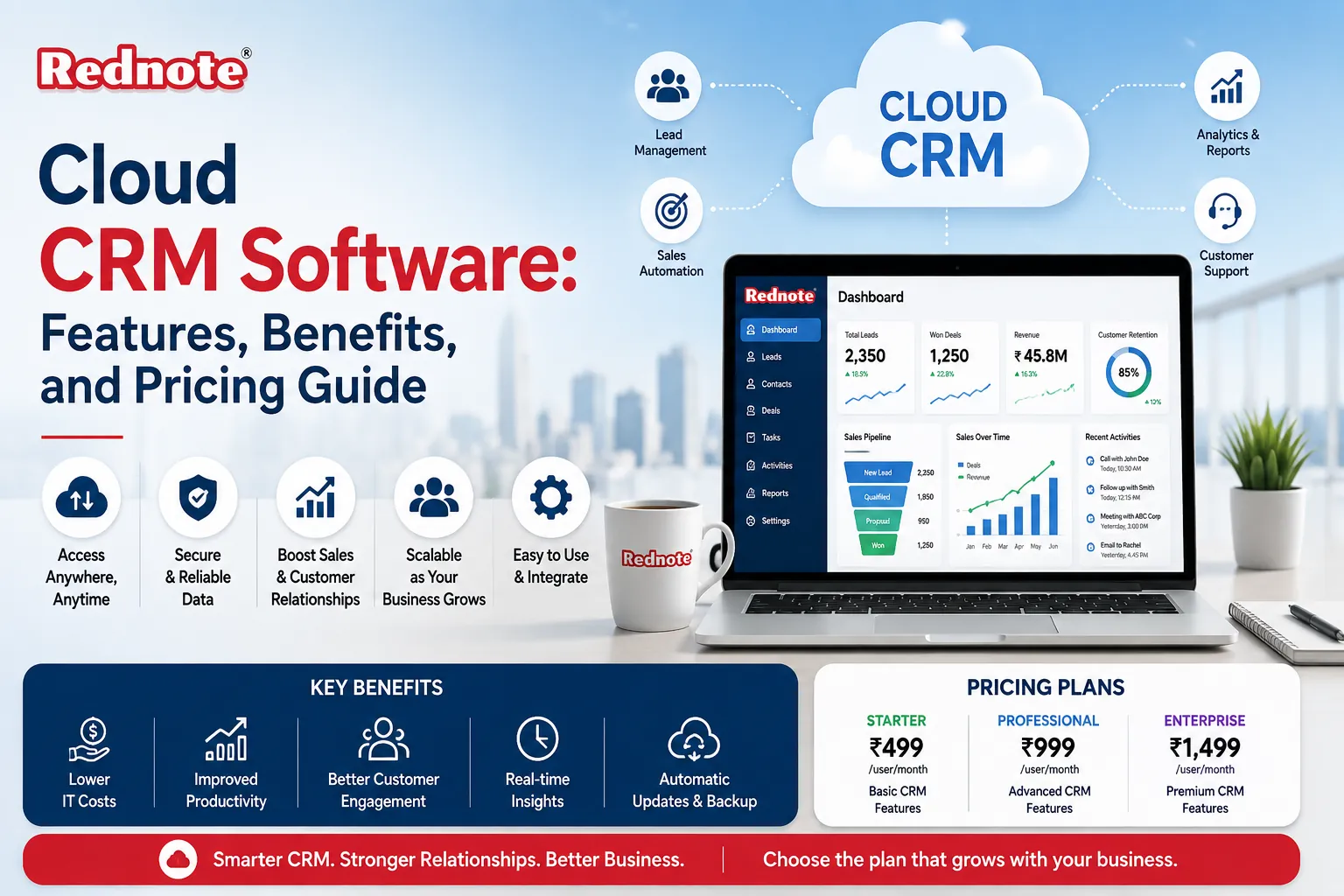
Cloud CRM Software: Features, Benefits, and Pricing Guide
Customer relationship management has undergone a dramatic transformation in the last decade. The shift from bulky on-premise solutions to internet-based platforms has democratized access to powerful sales and customer management tools. Today, cloud CRM software powers operations for startups, small businesses, and enterprise organizations alike.
If you're exploring ways to better organize customer data, improve sales team productivity, or strengthen customer relationships, this guide will walk you through everything you need to know. We'll cover what cloud CRMsystems actually are, the advantages they bring to your business, key capabilities that matter, pricing structures, and how to evaluate options to find the perfect fit for your needs. By the end, you'll have a clear understanding of whether and how these solutions can solve real problems in your organization.
Understanding Cloud CRM Technology: The Fundamentals
Customer relationship management technology represents a fundamental shift in how businesses manage customer interactions. Rather than installing complex software on company servers, these systems run on vendor-managed servers accessed through your web browser or mobile app. This means your team members can view customer information, update records, and collaborate from anywhere they have an internet connection.
The core concept is straightforward: centralize all customer information in one accessible location. Your sales team logs customer calls and meetings, marketing tracks campaign interactions, and support records customer issues. Everyone works from the same data source, eliminating the confusion of spreadsheets scattered across email inboxes.
The fundamental difference between traditional and modern systems lies in deployment:
On-premise CRM: Installed on your company servers, requires IT maintenance, significant upfront investment, limited remote access.
Cloud-based alternative: Hosted remotely, automatic updates and maintenance, subscription-based pricing, complete remote accessibility.
For businesses in India's competitive markets—whether you're in Salem, Tamil Nadu's growing tech sector or managing regional sales across multiple cities—cloud solutions eliminate geographical constraints on customer data access.
Key Advantages of Best Cloud CRM Software for Modern Businesses
Businesses adopt modern CRM solutions for tangible, measurable reasons. Understanding these advantages helps you evaluate whether this technology serves your specific situation.
Accessibility and Flexibility
Your sales team doesn't sit at desks anymore. Representatives visit clients, attend meetings, work from home offices. Modern systems ensure customer information follows your team wherever work happens. A sales representative visiting a prospect in Chennai can pull up their complete interaction history on a tablet. A support agent working from home accesses tickets instantly. This flexibility transforms how quickly your team responds to opportunities.
Reduced Costs and Faster ROI
The economics of these platforms favor smaller organizations. Instead of purchasing expensive server hardware, hiring IT staff for maintenance, and investing in software licenses upfront, you pay a monthly or annual subscription. No capital expenditure. No depreciation concerns. No maintenance team required. Most solutions show return on investment within 3-6 months through improved sales efficiency and reduced administrative overhead.
Automatic Updates and Continuous Improvement
Vendors handle all system maintenance, security updates, and feature releases. Your team wakes up to new capabilities without disruption. Bug fixes deploy automatically. Security patches apply without your intervention. This means your systems stay current with the latest technology without burdening your IT department.
Scalability Without Technical Headaches
Your business grows. Your team expands. Modern solutions scale effortlessly. Need to add 50 new users next quarter? Simply purchase additional licenses. No server capacity concerns. No infrastructure upgrades. This flexibility makes these systems ideal for rapidly growing businesses or seasonal operations with fluctuating team sizes.
Data Security and Compliance
Reputable providers invest heavily in security infrastructure that most individual businesses cannot match. Enterprise-grade encryption, redundant data centers, automatic backups, and compliance certifications (ISO 27001, SOC 2, GDPR compliance) protect your customer data better than most on-premise installations.
Essential Cloud-Based CRM Software Capabilities to Evaluate
Not all platforms include the same capabilities. When evaluating options, focus on features that directly address your business challenges.
Contact and Account Management
The foundation of any CRM system is organizing contact information. These systems should enable you to store unlimited contact records with detailed information: email addresses, phone numbers, company details, and custom fields matching your business. Look for features that prevent duplicate records and enable easy searching and segmentation.
Sales Pipeline and Deal Tracking
Visualize your entire sales process. CRM systems should display deals at each stage—initial contact, proposal sent, negotiation, close. Sales managers need dashboards showing pipeline health, deal values, and time spent at each stage. This visibility enables better forecasting and helps identify bottlenecks in your sales process.
Email Integration and Communication History
Every email, call, and message with a customer should appear in their record automatically. Integration capabilities eliminate manual data entry while ensuring complete communication history. Your team instantly sees what others have discussed with each customer, preventing duplicated efforts and missed context.
Task Automation and Workflow
Repetitive tasks waste time. Look for automation that triggers follow-up emails, creates tasks, updates deal stages, or sends notifications based on specific conditions. If a deal hasn't moved in 30 days, automatically alert the sales manager. When a support ticket arrives, create a task and assign it to the available representative.
Reporting and Analytics
Data becomes useful when transformed into insights. Modern systems should offer dashboards and reports answering critical questions: Which products generate highest revenue? Which sales representatives exceed quota? Where do most leads originate? How long is your average sales cycle? These insights guide strategic decisions.
Mobile Applications
Your team needs access on smartphones and tablets. System providers should offer fully-featured mobile apps, not watered-down versions. Representatives should log calls, update deal status, create tasks, and view customer information from any location, with or without internet connection (offline capability is increasingly important).
Integration Ecosystem
These platforms shouldn't exist in isolation. Evaluate how they connect with your existing tools: email platforms (Gmail, Outlook), accounting software (QuickBooks, Tally), project management (Asana, Monday.com), communication tools (Slack, Teams), and marketing platforms. Native integrations or open APIs enable seamless data flow.
Cloud CRM Features Your Business Should Prioritize
When evaluating specific features, different organizations have different priorities. However, certain capabilities deliver outsized value across industries.
Lead Scoring and Qualification
Automated lead scoring helps your sales team focus efforts on prospects most likely to convert. The system analyzes customer interactions, engagement level, and company information to assign scores. High-scoring leads receive immediate attention while lower-scoring prospects enter nurture sequences.
Customer 360 Views
Complete customer profiles consolidate information from every interaction across channels. A customer 360 view shows communication history, purchase patterns, support tickets, preferences, and behavioral data in one place. This comprehensive view enables personalized interactions and prevents customers from repeating information.
Workflow Automation
Beyond simple task automation, modern systems enable complex workflows triggered by specific events. When a customer reaches a certain engagement threshold, automatically send a targeted offer. When a deal closes, trigger invoice creation in your accounting system. These workflows reduce manual work and ensure consistent processes.
Social Media Integration
Understanding customers' social presence provides valuable context. Integration with social platforms lets you see customer social profiles, track brand mentions, and monitor engagement directly within the system.
Advanced Reporting
Standard reports show what happened. Advanced analytics reveal why it happened and predict what will happen. Look for systems offering custom report builders, predictive analytics, and data visualization that make complex information understandable.
Cloud CRM Pricing Structures: Finding Your Fit
Understanding pricing models helps you calculate true cost and avoid surprises.
Per-User Subscription Model
Most vendors charge per active user monthly, typically $20-$150 depending on features. This model aligns cost with company size—you pay for what you use. A startup with 5 users pays significantly less than a 100-person enterprise. This is the most common and transparent pricing approach.
Tiered Feature Plans
Vendors often offer three or four feature tiers.
| Tier | Typical Price | Best For | Key Features |
|---|---|---|---|
| Starter | $20-$40/User | Solopreneurs, Tiny Teams | Basic Contact Management, Email Tracking |
| Professional | $60-$100/User | Growing Businesses | Advanced Features, Reporting, Automation |
| Enterprise | Custom Pricing | Large Organizations | Full Customization, Dedicated Support, SLAs |
Most businesses start with Professional tier and scale as needs evolve.
Freemium Models
Some providers offer free plans supporting 1-2 users indefinitely, with limited features. These let you test before paying, though they typically lack advanced features needed for scaling operations. Freemium works well for evaluating whether a system fits your workflow before commitment.
Implementation and Training Costs
Subscription fees sometimes include hidden costs:
Implementation services: $2,000-$20,000 depending on complexity.
Data migration from existing systems: $1,000-$15,000.
Custom development: Hourly rates, $100-$250/hour.
Training and onboarding: Often included, sometimes additional.
Factor these into your budget. Many vendors offer these services directly, while others partner with implementation consultants.
Choosing the Right Platform for Your Business
Selecting the right solution requires matching your specific needs with available options.
Define Your Primary Use Case
Different businesses prioritize different functions. A sales-focused organization needs robust pipeline management and forecasting. A service business might prioritize project management and resource allocation. A support-heavy business needs ticket management and knowledge base capabilities. Clarify your primary goal before evaluating options.
Assess Your Team's Technical Level
Some platforms require no coding knowledge and offer drag-and-drop customization. Others appeal to technical teams wanting deep configuration capabilities. Match platform complexity to your team's comfort level. If you lack IT resources, choose platforms known for ease of use and excellent support.
Evaluate Integration Needs
List every tool your team uses regularly. Does the platform you're considering integrate with these? Missing integrations create data silos and manual data entry. Native integrations work faster and more reliably than API connections, but both work if implemented correctly.
Consider Geographic and Compliance Requirements
If you serve customers across India or internationally, confirm the vendor has data centers in appropriate regions. If you're regulated (healthcare, finance, legal), verify compliance certifications. GDPR matters if you process EU customer data. Local regulations sometimes require data residency—knowing this prevents legal complications.
Test with a Trial
Most vendors offer 14–30-day free trials. Use these genuinely—don't just review features in a demo. Have your team actually use the platform for real work. Identify friction points. See how their support responds to questions. Trial periods reveal true usability better than any marketing material.
Calculate Total Cost of Ownership
Beyond per-user fees, consider:
- Implementation time and services
- Training costs
- Integration expenses
- Potential customization
- Hardware needs (computers, mobile devices)
- Opportunity cost of switching systems
A system appearing expensive might offer better value than a cheaper solution requiring expensive implementation.
Common Mistakes to Avoid During Implementation
Learning from others' experiences prevents expensive missteps.
Underestimating Change Management
System implementation fails most often not due to technology problems but resistance to change. Sales teams accustomed to manual processes resist logging data into new systems. Managers don't trust the reporting. Without proper change management, expensive systems sit underutilized. Plan for training, gentle enforcement, and demonstrating tangible benefits before and after implementation.
Trying to Replicate Old Processes
Your old system likely had quirks and workarounds your team developed over years. Resist the urge to recreate these exactly in the new platform. Modern solutions often provide better ways of handling the same work. Use implementation as an opportunity to improve processes, not just transfer them.
Inadequate Data Migration
Garbage in, garbage out. Migrating old data into new systems requires cleaning, validation, and deduplication. Incomplete or incorrect data undermines the system's value from day one. Budget time and resources for proper data migration. Sometimes starting fresh with clean data outweighs migrating legacy systems.
Ignoring Mobile Capabilities
If your team works in the field, mobile access isn't optional. Many implementations fail because the mobile app proved inadequate for field workers' needs. Thoroughly test mobile functionality before full implementation. This particularly matters for businesses in growing markets like India where mobile-first operations are increasingly common.
Overlooking Integration Possibilities
Standalone systems miss opportunities for efficiency. Your accounting software should pull data from CRM. Your email should automatically log communications. Don't accept integration limitations—explore APIs and third-party connectors. Well-integrated systems multiply their effectiveness.
Implementation Best Practices for Successful Deployment
When you've selected your solution, these practices ensure successful adoption.
Start with a Pilot Program
Don't deploy to your entire company simultaneously. Start with one department or team. Let them work with the system for 2-4 weeks. Gather feedback. Address issues. Refine processes. Then expand to other departments. This phased approach prevents company-wide disruption and creates champions who can help others.
Establish Clear Data Entry Standards
System success depends on accurate, consistent data. If one representative records customer company as "ABC Corp" and another as "ABC Corporation," reporting breaks. Establish data entry standards and enforce them. Create templates for common record types. Use required fields appropriately to ensure completeness.
Invest in Proper Training
The best systems fail without proper training. Don't rely on videos or documentation. Conduct live training sessions. Role-play common scenarios. Let team members practice in a sandbox environment. Assign super-users in each department who can answer questions and troubleshoot issues.
Establish Success Metrics
Define what success looks like before implementation. Is it reducing sales cycle length? Improving customer retention? Increasing deal sizes? Faster response times? Clear metrics let you assess whether the system actually delivers value. Review metrics monthly in the first year to identify improvements needed.
Maintain Ongoing Support
Systems need continuous attention after launch. Assign someone to manage the platform—monitoring data quality, optimizing workflows, training new users, evaluating additional features. Systems without ongoing management tend to deteriorate over time as team members revert to old habits.
The Future of CRM Technology: Emerging Trends
CRM technology continues evolving rapidly. Understanding emerging trends helps you future-proof your investment.
Artificial Intelligence Integration
Modern platforms increasingly incorporate AI for lead scoring, predicting customer churn, automating data entry, and suggesting next actions. These capabilities improve decision-making and reduce manual work. AI-powered insights help identify patterns humans might miss.
Vertical-Specific Solutions
Generic platforms work for many businesses, but vertical-specific solutions (healthcare CRM, real estate CRM, legal CRM) optimize for particular industries' unique needs. These specialized systems often deliver better results than generalist alternatives.
Emphasis on Customer Experience
Beyond internal sales management, forward-thinking platforms increasingly focus on customer experience—self-service portals, knowledge bases, customer feedback collection, and experience tracking. The best systems create engagement opportunities at every customer touchpoint.
Improved Predictive Analytics
Advanced analytics help predict customer lifetime value, identify churn risk, forecast revenue more accurately, and recommend personalized offers. These predictive capabilities transform reactive management into proactive strategy.
Enhanced Customization Without Coding
Low-code/no-code platforms increasingly let non-technical users customize systems extensively, reducing dependence on IT resources for configuration changes. This democratization of customization speeds implementation and reduces costs.
Conclusion: Making Your Platform Selection
Modern CRM solutions represent a substantial opportunity for businesses serious about customer relationships and sales efficiency. The technology addresses real operational challenges—scattered customer information, sales team visibility, process consistency, and data accessibility.
The right platform for your organization depends on your specific needs, team size, technical capability, and budget. There's no universal "best" solution only the best fit for your circumstances. Use this guide to clarify your requirements, understand the capabilities that matter most, evaluate pricing options fairly, and test platforms genuinely before committing.
Start your evaluation by:
- Listing your top 3 operational pain points that these systems could address.
- Defining your budget including software, implementation, and training.
- Identifying 5-7 vendors offering quality solutions relevant to your industry.
- Requesting and completing trials with your actual team.
- Making a decision based on fit and team feedback, not just features or price.
The businesses thriving in today's competitive environment—whether in Salem's growing business community, across Tamil Nadu's emerging markets, or globally—understand that customer relationships drive success. Investing in the right technology accelerates relationship building, improves team coordination, and ultimately grows revenue.
Your next step: identify a platform to trial this week. The sooner you experience how these systems transform your customer management; the sooner you'll see results.
Frequently Asked Questions