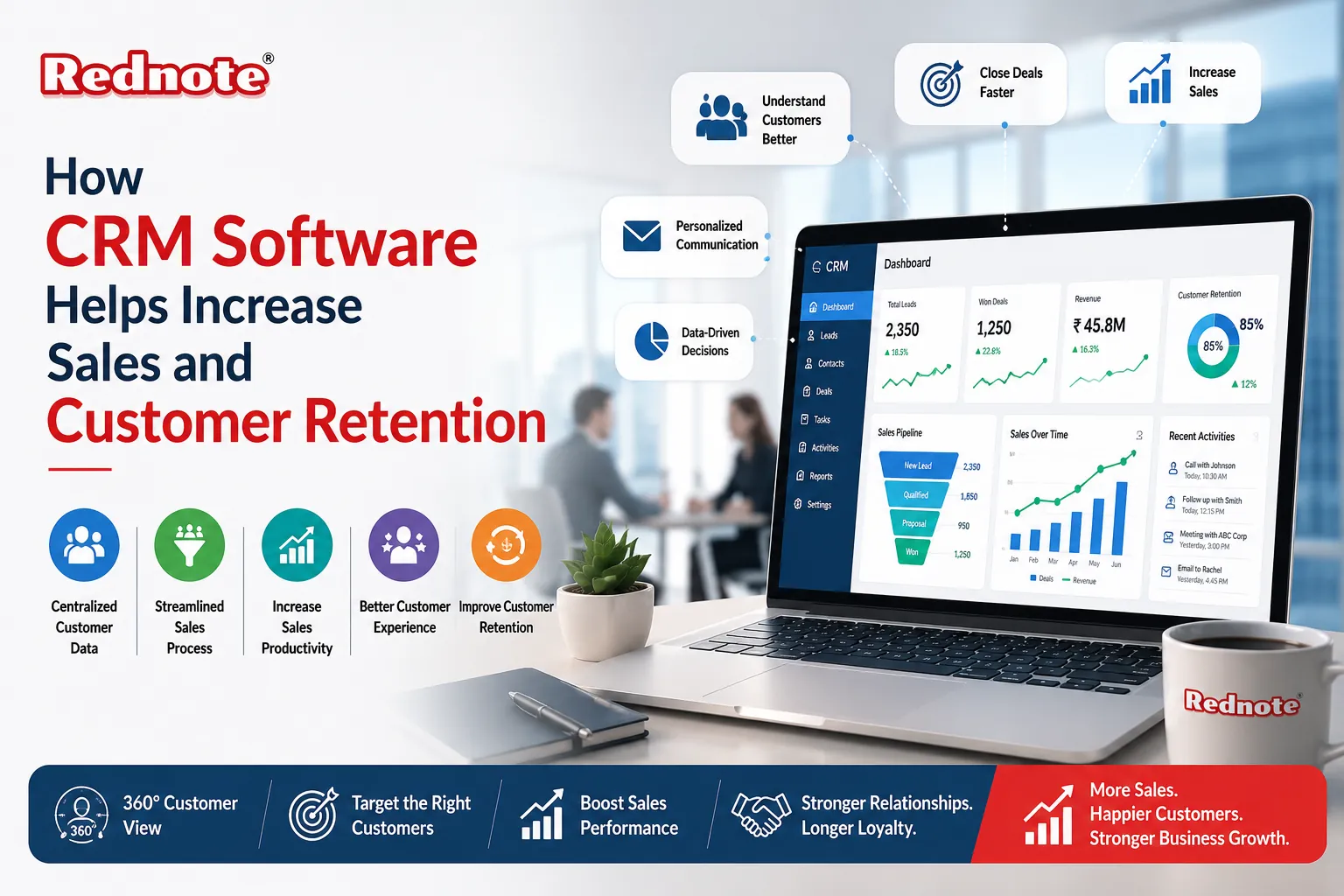
How CRM Software Helps Increase Sales and Customer Retention
When your sales team spends more time updating spreadsheets than talking to prospects, something's wrong. That's where CRM software for sales comes in a centralized platform that transforms how your business manages customer relationships and drives revenue.
A Customer Relationship Management system doesn't just organize contact information. It centralizes customer data, automates repetitive tasks, and provides real-time insights that become your competitive advantage. Instead of scattered emails, phone notes, and spreadsheets, everything lives in one searchable place.
In this guide, you'll see exactly how these systems work, the concrete benefits you'll see, and how to avoid the implementation mistakes that derail most companies. Whether you're a sales manager, business owner, or startup founder, this article gives you everything you need to drive revenue growth and build lasting customer relationships.
Understanding How CRM Systems Work
A Customer Relationship Management system is essentially a central hub for all customer interactions and data. Every email, call, meeting, and purchase gets recorded in one searchable place, giving your entire team a complete view of each customer relationship.
Here's what happens behind the scenes:
Lead Capture & Organization
When a prospect fills out a form on your website or attends a trade show, their information automatically populates into the system. You can segment leads by source, industry, budget, or any custom field. This eliminates duplicate entries and ensures no lead falls through the cracks.
Pipeline Visibility
The system displays all deals at every stage from initial contact to closed won. Sales managers see exactly where deals are stuck and which reps need coaching. This transparency makes forecasting reliable and helps leadership allocate resources strategically.
Automated Workflows
Instead of manually sending follow-up emails or creating task reminders, the platform does this automatically. When a rep logs a call, the system can schedule the next follow-up, send a confirmation email to the customer, and update the deal stage all without touching a keyboard.
Data Integration
Modern platforms connect to email, calendar, phone, billing software, and other tools. This means sales reps don't juggle multiple applications; everything syncs in real time across your entire tech stack.
The Core Value Proposition
When you implement CRM software benefits, you're not just improving organization you're directly impacting your bottom line. Let's break down what actually changes in a sales organization.
Faster Deal Cycles
When your team has visibility into each stage of the sales process, deals move through the pipeline 25% faster on average. Reps know exactly what information they need to advance a deal and don't waste time asking colleagues where opportunities are. A manufacturing company in Chennai that adopted a system reduced their average sales cycle from 60 to 45 days, allowing their team to close 40% more deals annually.
Higher Win Rates
The system gives your team data about what actually works. You can analyze which sales activities correlate with closed deals whether it's the number of touchpoints, email engagement, or proposal customization. When every rep knows the playbook that closes deals, win rates typically climb 15–30%.
Reduced Administrative Work
Sales reps hate manual data entry. These platforms eliminate friction by auto-capturing emails, calls, and activity logs. This gives reps back 3–5 hours per week to focus on actually selling and studies show this correlates with 15–25% productivity gains. When your team spends less time updating records and more time building relationships, revenue naturally follows.
Better Forecasting and Strategy
With reliable pipeline data, leadership makes smarter decisions. You spot trends (e.g., "deals in Q4 take 50% longer to close"), identify your top-performing reps, and recognize which customer segments have the highest lifetime value. This knowledge drives strategic hiring, training, and resource allocation.
Retention: The Overlooked Revenue Driver
Yet many companies obsess over new sales while ignoring retention. This is where customer retention software strategies shine.
Retention platforms track purchase history, satisfaction scores, and engagement patterns to identify at-risk customers early. Warning signs include declining order frequency, support tickets, or engagement metrics. Sales and success teams then proactively reach out with solutions before customers switch competitors.
Predictive Intelligence
Modern systems analyze historical patterns to predict which customers are most likely to churn. A B2B SaaS company we worked with noticed that customers who received at least one check-in call per quarter had 3x higher renewal rates. Their platform's automated alerts flagged quarterly renewal dates, allowing their team to build relationships proactively instead of reactively chasing cancellations.
Personalized Communication at Scale
Retention platforms enable targeted campaigns based on actual customer behavior. For example, you can automatically send a special offer to customers whose usage has declined, or schedule a business review call with high-value accounts before their renewal date. An Indian IT services firm implemented such a system and discovered that 70% of at-risk customers showed a specific warning signal: they hadn't logged into the customer portal in 30 days. By automating monthly check-in emails triggered by this condition, they reduced churn by 22% within 12 months.
Customer Health Scoring
Many modern platforms assign health scores to accounts based on usage, support interactions, and NPS feedback. Accounts trending downward get flagged for intervention. This turns retention from a reactive response into a proactive, data-driven process that compounds over time.
Optimizing Team Performance
When we talk about sales management tools, we're referring to the features and processes that help leaders oversee and optimize their team's performance. These aren't about surveillance they're about coaching and visibility.
Activity Tracking and Accountability
The system logs every call, email, and meeting your team has. This means leadership and reps see clear metrics: calls logged per day, emails sent per week, and meeting-to-close ratios. When reps know their activity is visible, consistency improves naturally. Managers can identify which activities correlate with winning deals and coach accordingly.
Real-Time Performance Dashboards
Instead of waiting for end-of-month reports, managers access live dashboards showing where each rep stands against quota, pipeline stage breakdown, win rate and average deal size, and time spent on high-value vs. low-value deals. This real-time visibility allows managers to coach reps on slow-moving deals before they die, not after.
Automated Task and Reminder Management
The platform shouldn't require your team to remember next steps. When a rep logs a meeting, the system can automatically create a follow-up task, send the customer a meeting recap, and schedule a reminder to check on decision-maker availability. This consistency accelerates deals and removes the cognitive load of remembering everything.
Collaborative Deal Management
Modern platforms let teams (sales, marketing, customer success) collaborate on deals within the same interface. When the support team sees a customer issue, they can flag it without requiring a separate email thread. This cross-functional visibility resolves issues faster and improves customer experience dramatically.
Practical Implementation Strategy
Simply having a platform doesn't guarantee results.How to increase sales with CRM requires thoughtful implementation and adoption. Here's what actually works.
Strategy 1: Standardize Your Sales Process
Before launching, map out your ideal sales process. Define stages: Prospect → Qualified → Proposal → Negotiation → Closed. Ensure your platform reflects this exact process. When all reps follow the same playbook, your pipeline becomes predictable and you can identify bottlenecks.
Strategy 2: Implement Data Quality Discipline
Garbage in, garbage out. Establish rules: every deal needs a close date, a value, and a decision-maker contact. Train your team that data quality is part of their job, not an admin task. Many high-performing teams assign one person weekly to audit data and fix inconsistencies.
Strategy 3: Leverage Reporting for Continuous Improvement
Most companies set up a platform and never touch the reporting dashboards. This is a missed opportunity. Pull weekly reports on win rates by rep, product, or industry. Quarterly, dive deeper into pipeline velocity. Use this data to train your team—show them what your top reps do differently.
Strategy 4: Automate Follow-Ups and Reminders
One of the quickest wins: automation. Set up workflows so that when a rep adds a prospect, an intro email goes out. When a meeting is logged, a follow-up task is created for 48 hours later. When a deal enters "Negotiation," the manager gets flagged. These small automations compound into significant productivity gains.
Strategy 5: Train Reps on Core Workflows First
Overwhelming your team with features during training doesn't work. Focus on the basics: logging activities, updating deal status, running a pipeline report, and using email templates. Once they're comfortable, introduce advanced features like forecasting or custom reporting.
Choosing the Right Solution
Selecting the best CRM for sales teams is one of the most important decisions you'll make. The right fit accelerates growth; the wrong platform wastes money and frustrates your team.
Key Evaluation Criteria
| Feature | Why It Matters | Red Flag |
|---|---|---|
| Ease of Use | Your Reps Won't Use It if They Find It Frustrating | Complex Interface, Poor Mobile App |
| Customization | Your Process Is Unique; the Tool Should Adapt | Rigid Workflows, Inflexible Fields |
| Integration | Needs to Connect to Your Existing Tools | Limited Integrations, Expensive Add-Ons |
| Scalability | Should Grow with Your Business | Pricing Jumps at Higher User Counts |
| Support | Critical When Something Breaks | No Phone Support, Slow Response Times |
| Price vs. ROI | Calculate Payback Period | Unclear Pricing, Mandatory Features |
Platform Comparison for 2026
- Salesforce: Enterprise choice with powerful customization. Steeper learning curve and higher cost.
- HubSpot: Mid-market favorite with clean interface and strong marketing integration.
- Pipedrive: Sales-first design with visual pipeline and activity-based selling at affordable pricing.
- Zoho CRM: Cost-effective option popular in Asia-Pacific regions with strong customization.
- Microsoft Dynamics: Best if your team already uses Office 365 extensively.
Common Implementation Pitfalls
Most CRM projects fail not because the software is bad, but because of implementation mistakes.
Mistake 1: Launching Without Change Management
You can't just turn on a platform and expect adoption. Assign a champion, create a communication plan, and celebrate early wins. Show reps tangible benefits in their first week: faster follow-ups, fewer duplicate calls, easier reporting.
Mistake 2: Poor Data Migration
Importing old data with typos, duplicates, or missing info poisons everything from day one. Spend time cleaning data before migration. Delete irrelevant contacts, deduplicate, and verify critical fields are populated correctly.
Mistake 3: Over-Customizing Before Launch
Resist the urge to customize extensively before launch. Start with default workflows. Once your team is comfortable and you understand pain points, then customize. Early over-customization wastes time and money.
Mistake 4: Ignoring Adoption Metrics
Track usage: login frequency, activity logging, report generation. If 60% of your team logs in weekly but rarely enters data, you have an adoption problem. Address this with retraining, incentives, or process changes—not by buying a new system.
Measuring Success
How do you know your investment is paying off? Track these KPIs:
- Sales Cycle Length: Target 10–20% reduction in first year
- Win Rate: Target 5–15% improvement
- Average Deal Size: Target 5–10% growth through better upsell tracking
- Sales Productivity: Target 20–35% improvement within 18 months
- Customer Retention: Target 10–20% improvement in renewal rates
- Time Saved: Target 50% reduction in manual data entry hours
A mid-market software company in Bengaluru tracked these metrics after implementation. In 12 months, they reduced sales cycle from 90 to 72 days, improved win rate from 22% to 28%, and grew deal size by 12%. Total ROI: 320% on their first-year investment.
Moving Forward
The best companies aren't the ones with perfect software they're the ones who make intentional, thoughtful investments in their sales infrastructure. Your team has probably already felt the pain of scattered customer data and manual workflows. The right solution addresses this, but only if it fits your business and gets implemented thoughtfully.
The companies that see the biggest impact from these platforms share three things: clear goals about what they want to improve, strong adoption through training and momentum-building, and continuous optimization using data to refine processes monthly.
Ready to take action? Here's what to do next:
- Audit your current process—map out sales stages, identify where deals get stuck, and measure baseline metrics.
- Define success metrics—decide which KPIs matter most to your business.
- Evaluate 2–3 platforms—request demos aligned with your budget and industry.
- Plan for adoption—design your change management approach before signing the contract.
Frequently Asked Questions