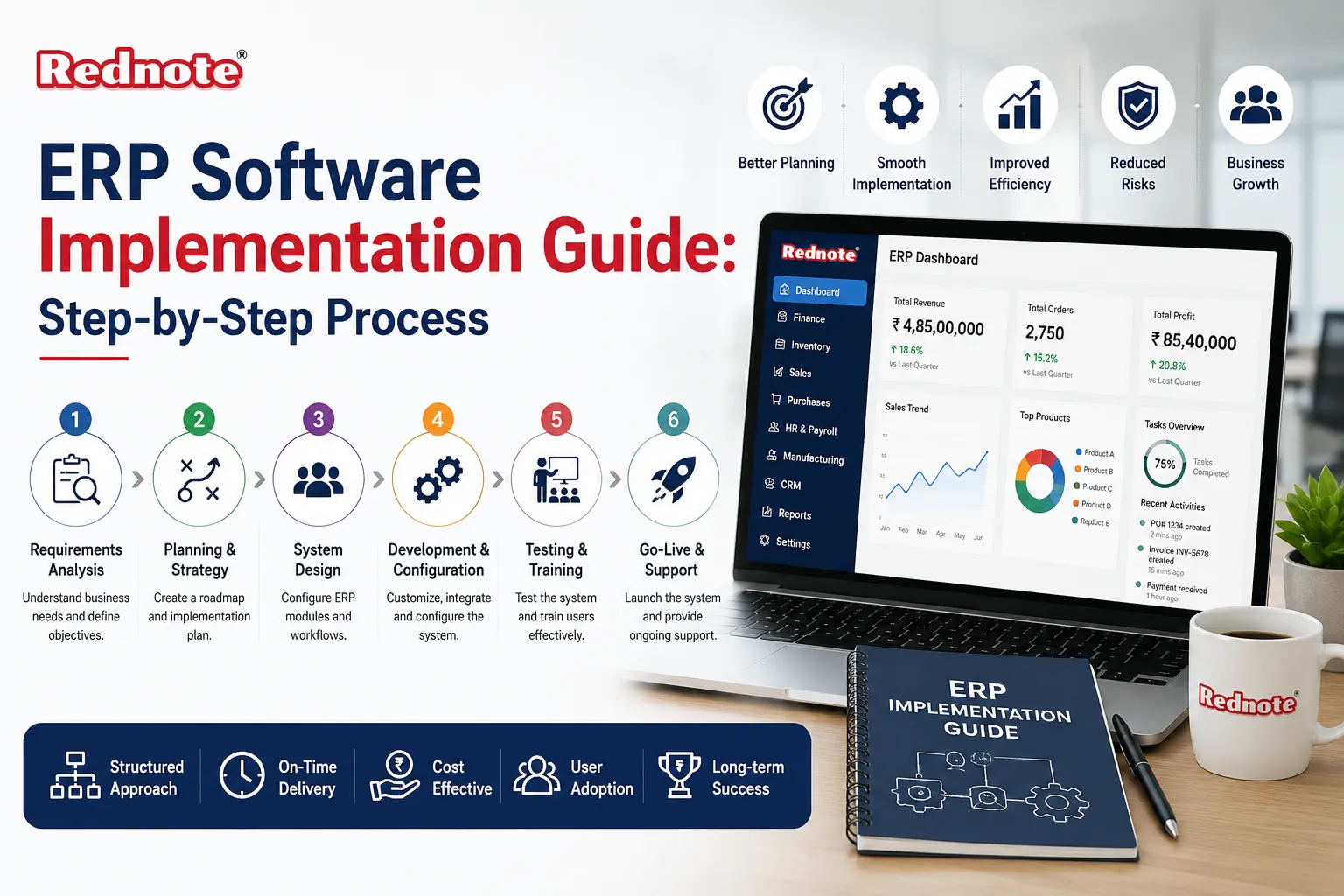
ERP Software Implementation Guide: Step-by-Step Process
Rolling out a new business system sounds simple on paper buy the software, install it, start using it. In reality, most companies underestimate what it takes to get it right. Nearly a third of ERP projects run over budget, and almost as many miss their original timeline, usually because the technical setup was rushed while the people side was ignored.
This guide breaks down ERP software implementation into a process you can actually follow: what happens at each stage, what typically goes wrong, and how to keep your project on track from kick-off to go-live. Whether you're replacing spreadsheets with your first system or migrating off legacy software, you'll walk away with a realistic picture of what's involved, how long it takes, what it costs, and how to plan around the mistakes that trip up most first-time buyers.
What Is ERP Implementation and Why It Trips Up So Many Businesses
Quick answer: ERP implementation is the process of planning, configuring, testing, and rolling out enterprise resource planning software so it accurately runs a company's core operations — finance, inventory, HR, procurement, and more in one connected system.
It's not a single event. It's a multi-month project that touches nearly every department, which is exactly why it's harder than most software rollouts. A new project management tool might affect one team. An ERP system changes how invoices get approved, how stock gets counted, and how payroll gets processed often all at once.
The businesses that struggle usually made one of two mistakes: they treated it purely as an IT project and left department heads out of the decision, or they picked software based on a shiny features list without mapping it to how their actual workflows run day to day. Both mistakes are avoidable, and both usually surface within the first few weeks of a rollout long before go-live, if you know what to look for.
It also helps to separate the software itself from the project of installing it. Two companies can buy the exact same ERP platform and have completely different experiences one finishes on time and under budget, the other drags on for a year and frustrates every department. The difference almost never comes down to the software. It comes down to how the project was planned, staffed, and communicated.
Signs You're Ready to Start the Project
Before diving into vendor demos, it helps to know whether the timing is actually right. Common triggers include:
- Finance closes the books manually because your accounting tool doesn't talk to inventory or sales
- You're running the business across five-plus disconnected spreadsheets or standalone apps
- Reporting takes days instead of minutes because someone has to reconcile data by hand
- You've outgrown your current system's user limits, integrations, or compliance features
- Leadership can't get a real-time view of cash flow, stock levels, or production status
- Multiple departments are entering the same customer or order data separately, with no shared source of truth
If two or more of this sound familiar, it's worth building a business case now rather than waiting for a crisis a failed audit, a stockout, a missed payroll deadline to force the decision. Companies that plan proactively tend to have smoother rollouts than those forced into it under pressure, simply because they have more room to plan the timeline properly instead of rushing.
The ERP Implementation Process: Phase by Phase
This is where most guides get vague. Here's what actually happens at each stage of a typical rollout, along with what tends to go wrong if a stage gets rushed.
Phase 1: Discovery and Planning
Teams document current workflows, identify pain points, and define what success looks like fewer manual entries, faster month-end close, better inventory accuracy, whatever matters most to the business.
A realistic ERP implementation process starts here, not at software selection. Skipping this step is the single most common reason projects go over budget later, because requirements get discovered mid-project instead of upfront. Expect this phase to involve interviews with department heads, a review of existing reports and pain points, and a written list of "must-have" versus "nice-to-have" features that will guide every decision after it.
Phase 2: Vendor and System Selection
With requirements in hand, you can evaluate vendors against actual needs instead of a generic feature checklist. Request demos using your own data and real scenarios a vendor showing off features you'll never use tells you little about fit.
Key things to compare:
| Factor | Why It Matters |
|---|---|
| Industry Fit | Manufacturing, Retail, and Services Need Different Modules |
| Deployment Model | Cloud, On-Premise, or Hybrid Affects Cost and IT Burden |
| Scalability | Can It Handle Growth Over the Next 5–10 Years? |
| Integration Support | Does It Connect with Your Existing Tools (CRM, E-Commerce, etc.)? |
| Vendor Support | Response Times, Training Resources, Local Partner Availability |
| Total Cost of Ownership | Licensing, Implementation Fees, and Ongoing Maintenance Combined |
Don't rely solely on the vendor's own reference list ask to speak with a customer in your industry who wasn't hand-picked for the sales call, and ask them directly what they'd do differently if they started over.
Phase 3: System Design and Configuration
This is the technical build phase configuring workflows, user roles, approval chains, and reporting dashboards to match how your business actually operates. Off-the-shelf settings rarely fit perfectly, so expect some customization here, but resist the urge to over-customize. Heavy customization makes future upgrades slower, more expensive, and harder to troubleshoot when something breaks.
A good rule of thumb: if a workflow only exists because "that's how we've always done it," this is the moment to question whether it should carry over into the new system at all, rather than paying to replicate an inefficient process.
Phase 4: Data Migration
Old data customer records, inventory counts, financial history has to move into the new system cleanly. This step gets rushed constantly, and it shows up later as inaccurate reports and broken bringing together.
It's worth deciding early how much historical data actually needs to migrate. Many businesses assume everything must transfer, when in reality the last two to three years of active records may be enough, with older data archived separately for reference.
Phase 5: Testing
Run the system through real business scenarios: processing an order end to end, closing a financial period, generating payroll, handling a return. User acceptance testing (UAT) should involve the actual employees who'll use the system daily, not just IT staff, since they'll catch workflow gaps that developers miss.
This is also the stage where you find out whether integrations with other tools your e-commerce platform, payment processor, or CRM actually work under real conditions, not just in a sandbox environment.
Phase 6: Training and Go-Live
Even a perfectly configured system fails if employees don't know how to use it. Role-based training tailored to what each team actually does in the system works far better than one generic session for everyone. Go-live typically happens in phases (one department or location at a time) or all at once ("big bang"), depending on risk tolerance and company size.
Smaller companies often prefer the big-bang approach because it's simpler to manage with limited staff, while larger, multi-location businesses tend to phase the rollout to limit the blast radius if something goes wrong.
Phase 7: Post-Launch Support and Optimization
Implementation doesn't end at go-live. Expect a stabilization period of a few weeks where issues surface and get resolved, followed by ongoing optimization as teams get more comfortable and start requesting refinements. Budget time for at least one formal check-in 60–90 days after launch to review what's working and what still needs adjusting.
ERP Implementation Best Practices That Actually Move the Needle
Beyond following the phases in order, a few habits separate smooth rollouts from painful ones:
- Assign a dedicated project lead — not someone doing it alongside their full-time job
- Involve end users early, not just at training. Their input during design prevents costly rework later
- Set a realistic timeline. Mid-sized implementations commonly take 6–12 months; rushing this compresses testing, which is where problems get caught
- Migrate data in stages, testing accuracy at each step rather than dumping everything at once
- Communicate changes constantly. Employees resist systems they don't understand, and silence breeds resistance
- Budget 15–20% extra beyond the initial quote for customization, training, or scope changes that weren't anticipated
- Document decisions as you go. Six months into a project, nobody remembers why a particular workflow was configured a certain way unless it's written down
Following clear ERP implementation best practices like these consistently overtakes teams that treat the rollout as a checklist to rush through. The businesses that get the most value out of their new system tend to be the ones that treated change management as seriously as the technical build training, communication, and buy-in matter just as much as configuration.
Common Mistakes That Derail ERP Projects
Most failed or delayed rollouts trace back to a handful of recurring errors:
- Choosing software before mapping requirements — leads to expensive workarounds later
- Underestimating training time — employees revert to old habits or workarounds when they don't feel confident
- Skipping data cleanup — garbage data in means garbage reports out
- No internal project owner — accountability gets lost between the vendor and internal teams
- Ignoring change management — technical success means little if staff quietly avoid using the new system
- Testing with fake data only — real transactions often expose problems that clean sample data never does
- Setting an unrealistic go-live date — arbitrary deadlines (tied to a fiscal year-end, for example) push teams to skip testing just to hit the date
If you recognize your project plan in more than one of these, it's worth pausing to address it before moving to the next phase rather than hoping it resolves itself later.
How Long Does It Take and What Does It Cost?
Quick answer: Small businesses typically complete implementation in 3–6 months; mid-sized companies take 6–12 months; large, multi-location enterprises can take 12–24 months. Costs range from tens of thousands of dollars for small cloud deployments to several million for large enterprise rollouts, depending on customization, number of users, and data difficulty.
Timeline and cost both scale with how many departments are involved, how much historical data needs migrating, and how customized the workflows need to be. A single-location retail business moving to a cloud ERP with minimal customization might be live in under four months. A manufacturer with multiple plants, complex supply chains, and legacy systems to retire should plan for closer to a year, with a proportionally larger budget for data migration and integration work.
It's also worth budgeting for costs beyond the software license itself implementation consulting, employee training time, temporary productivity dips during the transition, and any hardware upgrades needed to support the new system.
Final Thoughts
A successful rollout comes down to preparation, not luck. Map your requirements before you shop for software, protect your data quality during migration, and invest in training so your team actually adopts the system instead of working around it. Following each phase deliberately rather than rushing toward go-live is what separates projects that pay off from the ones that stall out six months in.
If you're just starting to evaluate options, talk to a few vendors, ask for examples using your own real-world scenarios, and build your project plan around your team's actual workflows, not a generic template.
Frequently Asked Questions