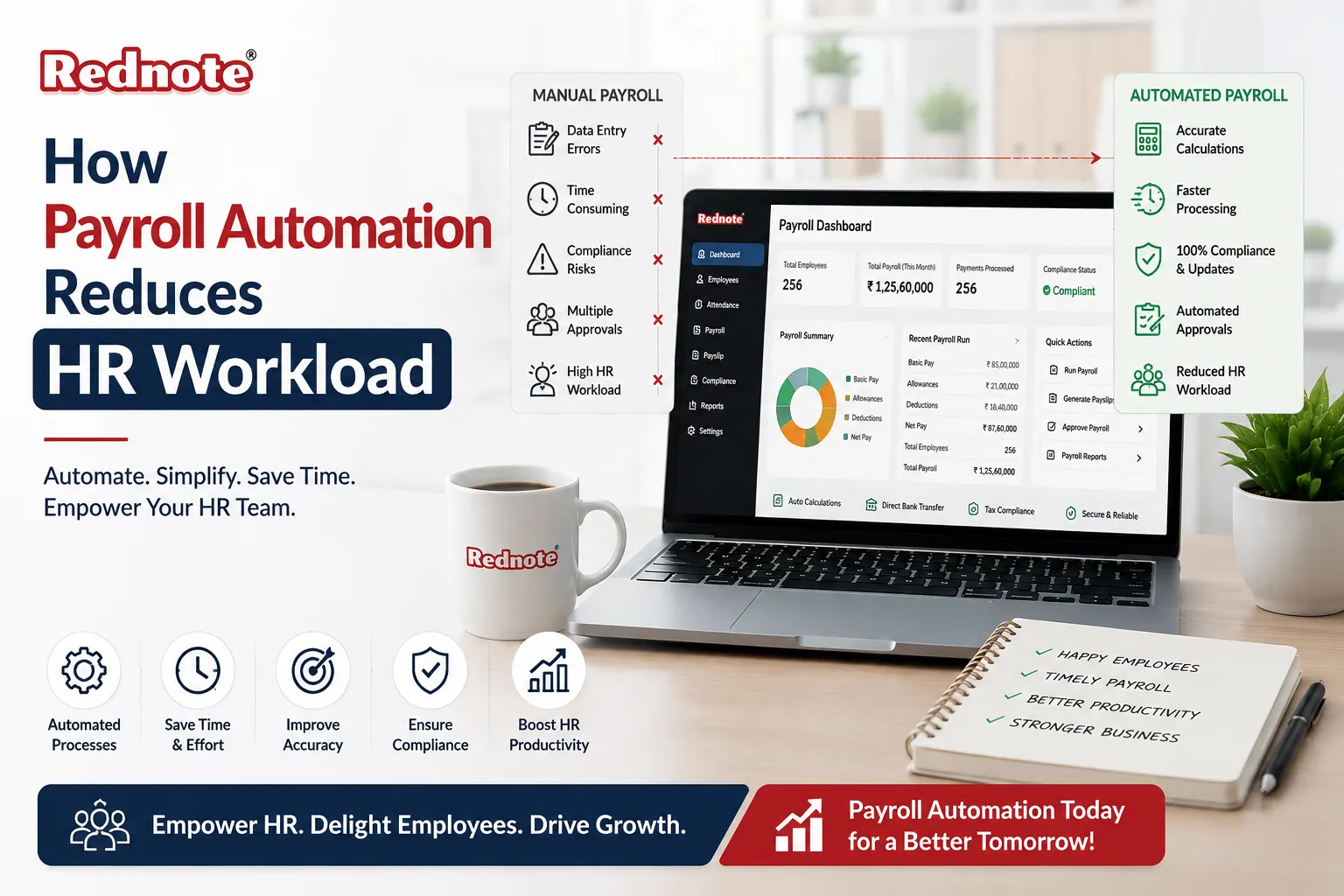
How Payroll Automation Reduces HR Workload
Every month, your HR team spends entire days buried in spreadsheets and manual calculations. Timesheets arrive. Someone manually enters each one. Tax rates need verification. Deductions must be tracked. Direct deposit details require multiple checks. It's a necessary process that consumes weeks of productive work annually.
What if this monthly burden could disappear entirely?
Payroll Automation transforms this painful cycle into a seamless, accurate, and nearly invisible process. Your HR team stops doing data entry and starts doing work that actually matters. This guide shows you how it works, why it matters for your business, and what implementation looks like in practice.
What Is Payroll Automation Really?
Let's be clear about what we're discussing here. Payroll Automation isn't a single tool or checkbox feature. It's a comprehensive system that handles everything about employee compensation through technology instead of manual effort.
The core idea is straightforward: technology captures your employee data and performs all the calculations, record keeping, and compliance work that humans currently do by hand.
Here's what actually changes:
Instead of your HR manager typing timesheets into a spreadsheet each Friday, the system pulls hours automatically from your time tracking system. Instead of calculating federal and state taxes using last year's information, the software applies current tax tables instantly and updates them when rates change. Instead of printing pay stubs and distributing them physically, employees access documents digitally within seconds.
The result is fewer errors, faster processing, and HR staff who spend their time on actual strategic work rather than number entry.
The Real Cost of Manual Payroll
Consider what your company currently invests in payroll processing. The average HR professional spends 10 to 12 hours monthly just on payroll tasks. That's equivalent to hiring someone whose only job is processing payroll.
Beyond time cost, manual systems create financial risk. Calculation errors lead to penalties. Missed deadlines trigger late payment fees. Incorrect tax withholdings create audit exposure. For a mid-sized company, these mistakes cost thousands annually.
How the System Works: The Complete Process
Understanding the mechanics helps you appreciate what changes when you implement HR Payroll Software.
Modern systems pull data from three primary sources automatically. Time tracking systems provide hours worked. Employee records contain tax information and deduction details. Compliance databases maintain current tax rules and benefit regulations.
Here's the complete workflow from start to finish:
Collection:
Employee hours arrive through your time tracking app or timesheet submission. No manual spreadsheet. No data entry required.
Calculation:
The system multiplies hours by pay rates or processes salaried compensation instantly. Overtime calculations happen without any manual math involved.
Taxation:
This is where the technology shows its value. Current federal, state, and local tax tables are embedded in the system. The software applies correct withholding based on each employee's W-4 information. When tax rates change annually, the system updates automatically without any HR involvement or attention required.
Deductions:
Health insurance premiums, retirement contributions, loan payments, and court ordered garnishments are applied according to each employee's individual setup. The system tracks limits automatically and adjusts when employees reach maximums.
Payroll Calculation:
Gross compensation minus all taxes and deductions equals net pay. Every calculation happens without human intervention.
Payment:
Funds transfer to employee bank accounts via direct deposit automatically. No manual processing. No check writing. No distribution logistics.
Compliance:
Pay stubs generate automatically. Tax filings happen on schedule. Government agencies receive required documentation. Annual W-2 forms are ready weeks before the deadline.
The Integration Advantage
Modern Automated Payroll System doesn't operate in isolation. It connects seamlessly with your other business software.
Your accounting software receives automatic entries for every payroll run. Your HRIS platform stays synchronized with employee information. Benefits platforms coordinate premium deductions. Time tracking apps feed hours directly to payroll calculations. Expense management systems integrate reimbursements automatically.
This integration means data enters your system once and flows everywhere it's needed. No re-entry. No inconsistencies. No reconciliation headaches.
Business Impact: What Changes When You Implement This
Let me show you what actually happens operationally when you implement Payroll Management Software.
Accuracy Improves Dramatically
Manual payroll creates errors consistently. Common mistakes include overtime calculations that miss qualifying hours, tax withholdings that apply wrong rates, deductions that miss deadline deadlines, and duplicate payments that occur from data entry mistakes.
Each error costs money through corrections and penalties. The software eliminates these errors by applying consistent logic. Calculations never vary. Tax tables update before they become non-compliant. Results are mathematically identical every single time.
For companies with 100 employees, eliminating just 2 or 3 monthly errors saves thousands annually.
Compliance Becomes Automatic
Payroll regulations change constantly. Tax rates shift annually. Overtime rules get revised. State labor laws evolve. New benefits regulations arrive.
Your HR team cannot realistically stay current on every change across all locations where you operate employees. The software vendor monitors regulations and pushes updates automatically to all customers. Your system updates overnight without requiring any action from your team.
This matters most for companies operating across multiple states where different rules apply simultaneously.
Payment Flexibility Improves Employee Satisfaction
Traditional payroll schedules are monthly or bi weekly because manual processing cannot handle frequency. Modern systems enable weekly payment, daily payment, or even on demand payment where employees access earned wages before the official pay period ends.
This flexibility significantly improves employee financial wellbeing and satisfaction, especially for hourly workers living pay check to pay check.
Real Time Visibility Replaces Guesswork
Manual systems provide no visibility until payroll is completely finished. Digital systems offer real time insights immediately. You see current payroll costs year to date. Departmental payroll breakdowns appear instantly. Benefits spending by category is tracked. Tax liability is projected automatically. Overtime patterns surface for analysis.
This information helps finance teams make better decisions about hiring budgets, resource allocation, and forecast accuracy.
Audits Become Straightforward
Audit requests used to trigger frantic file searches and stress. Now you generate complete audit documentation instantly. The system maintains complete audit trails showing who changed what and when. Records are timestamped and immutable. When auditors request documentation, you export everything in seconds.
Auditors find exactly what they expect to find, verified perfectly. Audit time shrinks. Risk decreases. Your team looks experienced.
Essential Features in Modern Solutions
Not all software is created equally. Here's what separates capable platforms from basic ones:
Core Capabilities You Cannot Skip
- Automated tax calculations are non-negotiable.
- Direct deposit processing handles payment distribution.
- Time tracking integration eliminates manual hours entry.
- Multi state capability manages different regulations simultaneously.
- Self-service portals let employees access information without HR involvement.
- Compliance reporting handles tax filings and W-2 generation automatically.
Advanced Features That Differentiate
- Mobile apps let employees manage payroll information anywhere.
- Expense integration feeds reimbursements directly into payroll.
- Flexible payment options support weekly or on demand schedules.
- Bonus and commission automation handles complex compensation formulas.
- Benefits deduction automation adjusts when plans change.
- Fraud detection flags unusual patterns and duplicate payments.
- API connectivity enables custom integrations with industry specific software.
Modern platforms bundle most of these features as standard offerings.
Implementation Timeline: From Decision to Live Operation
Here's what realistic implementation looks like:
Month 1: Selection
Evaluate 3 or 4 vendors based on your needs. Negotiate pricing. Plan your data migration strategy. Identify which systems need to join together.
Months 2 to 3: Setup
Configure employee records accurately. Set up tax and deduction rules correctly. Test all integrations thoroughly. Train your HR team on the new process. Run payroll twice using both old and new systems in parallel to verify accuracy.
Month 4: Launch
Go live on a non-critical payroll cycle. Monitor closely for issues. Verify accuracy against historical records. Address problems immediately when they surface.
Months 5 and Beyond: Optimization
Train employees on self-service features. Establish new internal workflows. Optimize your integrations. Plan expansion to advanced features.
The entire process takes 4 to 5 months from contract signature to full operation.
Selection Strategy: Matching Platform to Your Company
Choose based on your specific situation not on vendor marketing.
For Small Businesses Under 50 employees:
Prioritize simplicity and affordability. Look for clean interfaces and reasonable pricing. Basic time tracking and accounting software integration is sufficient.
For Mid-Market Companies 50 to 500 employees:
You need multi state capability, advanced reporting, and strong compliance features. The platform must handle complexity without becoming overwhelming to operate.
For Enterprise Operations 500 plus employees:
You need sophisticated multi entity management, complex deduction handling, and advanced analytics. Your system must deliver depth across all capabilities.
For Industry Specific Operations:
Construction companies need prevailing wage compliance. Healthcare organizations require shift-based calculations. Tech companies want time off integration. Select platforms that specialize in your industry rather than generic solutions.
Don't just pick the biggest or cheapest option available. Match capabilities to your actual operational needs.
Compliance Complexity in India
Indian payroll regulations are incredibly complex at the state level. EPF contributions, ESIC rules, LTA provisions, and gratuity calculations all follow different formulas. Annual remittance requirements vary by state. Manual management is nearly impossible when operating across multiple states.
Platform selection matters significantly here. The software you choose must handle Indian regulatory requirements automatically and stay updated when rules change from the Ministry of Labor.
Multi State Operations
Different Indian states apply different labor laws simultaneously. If your team spans Tamil Nadu, Karnataka, and Andhra Pradesh, each location follows different rules. Payroll Processing Automation handles these differences simultaneously so compliance happens naturally without manual coordination.
Seasonal Workforce Considerations
Tiruppur's textile industry often employs seasonal workers, temporary staff, and contract workers. The platform you select must handle seasonal hiring, contractor payments, and time limited employment arrangements smoothly.
Banking Infrastructure
India's banking system supports instant electronic transfers. Modern software integrates with NEFT and RTGS for reliable, immediate salary distribution. Payment reaches employee accounts instantly.
The Real Decision You're Making
Payroll Automation has evolved from a luxury for large enterprises to an essential tool for any business managing more than a handful of employees.
The question is not whether to automate. The question is which platform and what timeline works for your specific situation.
The benefits are clear:
- HR team recovers 60 to 120 hours annually that can be invested in strategic work
- Calculation errors disappear entirely
- Regulations update automatically without HR monitoring
- Employees receive payment faster and more frequently
- Financial cost decreases through penalty avoidance
If your current process still involves spreadsheets, manual tax calculations, or check printing, you're leaving significant money on the table every single month without realizing it.
Your Starting Point
Begin here:
- Count the hours your team currently spends on payroll. Document the pain points. Calculate the labor cost.
- List your must have features. Do you need multi state capability? International payroll? Specific integrations with tools you already use?
- Request demonstrations from 3 platforms that match your company size and needs.
- Contact customers using each platform in your industry and ask directly about their experience.
- Plan a 3-month parallel run before going live fully.
The payroll process isn't complicated. It's simply deciding to stop doing work that technology can handle better, faster, and more accurately than any human ever will.
Frequently Asked Questions