



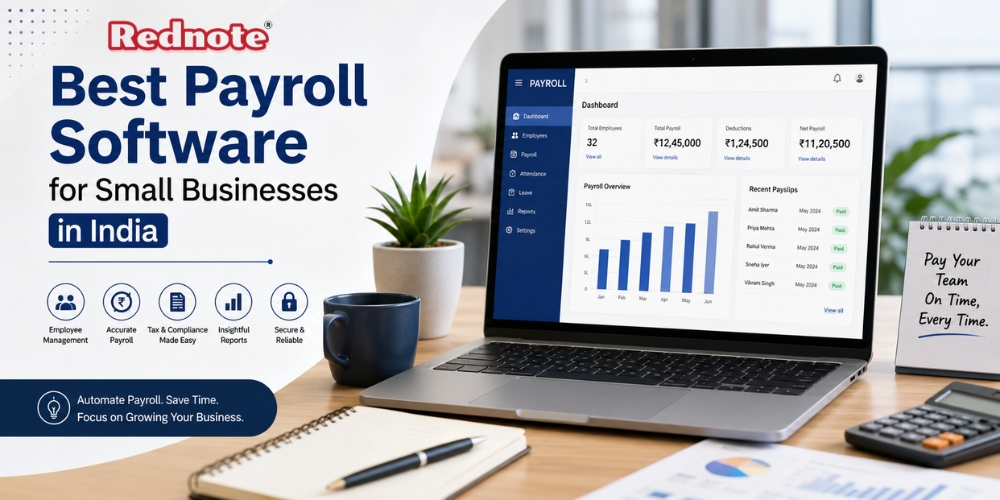
Best Payroll Software for Small Businesses in India
Managing employee salaries may seem simple when a business has only a few employees. But as the team grows, Payroll Software can quickly become time-consuming. Salary calculations, attendance, leave deductions, bonuses, tax deductions, payslips, and statutory compliance all need to be handled correctly every month.
For small businesses in India, choosing the right can reduce manual work and make salary processing more consistent. Instead of maintaining complicated spreadsheets, business owners and HR teams can manage employee information, calculate salaries, generate payslips, and maintain payroll records through a centralized system.
The right solution should not simply automate salary calculations. It should also fit the company's size, budget, payroll requirements, and future growth plans.
Why Small Businesses Need Payroll Automation
Small businesses often operate with limited HR resources. In many cases, the owner, accountant, or one HR employee manages Payroll Software alongside several other responsibilities.
Manual payroll processing creates several problems:
- Repeated data entry
- Calculation mistakes
- Incorrect deductions
- Delayed salary processing
- Difficulty maintaining employee records
- Time spent preparing payslips
- Problems tracking leave and attendance
- Increased compliance risk
- Difficulty accessing previous payroll records
Automation can reduce these issues by keeping payroll information in one place and performing repetitive calculations consistently.
For example, if an employee takes unpaid leave, the system can use attendance and leave information to calculate the applicable deduction rather than requiring an HR employee to calculate it manually.
Key Features to Look For
Not every payroll platform offers the same functionality. Small businesses should focus on features that solve their actual payroll problems instead of paying for unnecessary enterprise-level capabilities.
1. Employee Database
A good system should allow businesses to store employee details, salary structures, joining dates, bank information, attendance information, and other relevant records securely.
Having centralized employee data makes monthly payroll processing much easier.
2. Automated Salary Calculations
Salary calculations may involve basic salary, allowances, deductions, bonuses, overtime, unpaid leave, and other components.
A reliable system should calculate these components based on the salary structure configured for each employee.
3. Payslip Generation
Employees commonly need payslips for financial records, loans, rental applications, or other purposes. Automated payslip generation saves HR teams from preparing individual documents every month.
Employees should ideally be able to access their payslips through a secure employee portal.
4. Attendance and Leave Integration
Payroll becomes easier when attendance and leave information can be connected with salary processing.
This is particularly useful for businesses where salary deductions depend on working days, overtime, or approved leave.
5. Tax and Compliance Support
Indian payroll involves several statutory requirements. Depending on the business and employee circumstances, these can include Provident Fund, Employee State Insurance, Professional Tax, Tax Deducted at Source, and other applicable requirements.
Businesses should check whether the software supports the specific compliance requirements relevant to their organization.
6. Reports
Payroll reports help owners and finance teams understand salary expenses and maintain records.
Useful reports can include:
- Salary registers
- Deduction reports
- Attendance reports
- Leave reports
- Department-wise payroll reports
- Employee salary statements
- Tax-related reports
7. Employee Self-Service
Employee self-service can reduce routine HR queries. Employees can access payslips, update certain information, check leave balances, and view relevant payroll details without contacting HR for every request.
Payroll Software Comparison for Small Businesses
The best solution depends on the business's workforce size, payroll complexity, budget, and HR processes. There is no universal option that is Payroll Software automatically best for every company.
| Feature | Basic Solution | Growing Business Solution | Advanced Solution |
|---|---|---|---|
| Employee records | Yes | Yes | Yes |
| Salary calculations | Basic | Automated | Advanced |
| Payslips | Yes | Yes | Yes |
| Attendance integration | Limited | Usually available | Advanced |
| Leave management | Basic | Available | Advanced |
| Compliance support | Limited | Better coverage | Comprehensive |
| Employee self-service | Sometimes | Usually | Yes |
| Reporting | Basic | Detailed | Advanced |
| Integrations | Few | Multiple | Extensive |
| Best for | Very small teams | Growing SMEs | Larger organizations |
The table should be used as a starting point rather than a reason to select the most expensive package. A small company may not need every advanced feature.
How to Choose the Right Payroll Solution
Assess Your Employee Count
Start with your current workforce size and expected growth. A system that works well for 15 employees may not provide the same experience when the company reaches 100 employees.
Understand Your Salary Structure
List the components used in your payroll process. These might include basic pay, allowances, incentives, bonuses, deductions, reimbursements, and overtime.
Choose a system that can handle your actual salary structure without forcing you to redesign your existing process.
Check Indian Compliance Requirements
Compliance is one of the most important considerations. Before purchasing a platform, check whether it supports the statutory requirements applicable to your business.
Do not assume that every payroll platform automatically handles every Indian compliance requirement.
Consider Ease of Use
A feature-rich platform is not useful if your HR or finance team struggles to operate it.
Ask for a demonstration and test common activities such as:
- Adding an employee
- Creating a salary structure
- Processing monthly payroll
- Applying leave deductions
- Generating payslips
- Creating reports
- Correcting payroll information
If these processes are unnecessarily complicated, the platform may create more work rather than reduce it.
Evaluate Security
Payroll contains sensitive employee information. Security should therefore be treated as a core requirement rather than an optional feature.
Check whether the provider offers:
- Role-based access
- Secure login
- Data encryption
- Regular backups
- Access controls
- Audit records
- Secure employee portals
Businesses should also establish internal rules about who can access salary information.
Cost Considerations
Price is important for small businesses, but the cheapest option is not necessarily the most economical.
Consider the total cost, including:
- Monthly or annual subscription
- Number of employees supported
- Setup fees
- Additional modules
- Implementation charges
- Support costs
- Integration fees
- Data migration charges
A low-cost system that requires several hours of manual correction every month may ultimately cost more than a slightly more expensive solution that saves significant administrative time.
Pro Tip
Pro Tip: Before selecting a payroll platform, calculate how many hours your team currently spends on payroll every month. Then compare that figure with the expected time savings from automation. This gives you a practical way to judge whether the software is actually worth the investment.
Benefits Beyond Salary Processing
A good payroll system can provide benefits beyond calculating monthly salaries.
Better Accuracy
Automated calculations can reduce common human errors caused by manual data entry and spreadsheet formulas.
Faster Payroll Processing
Once employee information and salary structures are configured, repetitive monthly tasks can be completed much faster.
Improved Record Keeping
Digital payroll records make it easier to find historical salary information when required.
Better Employee Experience
Employees can receive payslips and access relevant payroll information without repeatedly contacting HR.
Easier Business Scaling
As employee numbers increase, manual payroll becomes increasingly difficult to manage. Automation provides a more structured process for growth.
Common Mistakes to Avoid
Small businesses sometimes choose payroll tools based only on price or the number of advertised features. That approach can lead to poor results.
Avoid these mistakes:
Choosing only by price: A cheap solution may lack important compliance or reporting capabilities.
Ignoring scalability: Consider what happens when the workforce doubles.
Skipping the demo: Always test the actual payroll workflow before purchasing.
Failing to verify compliance: Check whether the system supports the regulations applicable to your business.
Giving excessive access: Salary information should only be accessible to authorized personnel.
Not checking support: Payroll problems often need quick resolution, especially around salary processing dates.
Who Should Use Payroll Automation?
Payroll automation is useful for a wide range of small organizations, including:
- Startups
- Retail businesses
- IT companies
- Consulting firms
- Marketing agencies
- Manufacturing companies
- Professional service businesses
- Small educational organizations
- Growing local businesses
Even a company with a small workforce can benefit if payroll involves multiple salary components, attendance rules, or statutory deductions.
Selecting the best payroll solution is less about finding the platform with the longest feature list and more about finding one that matches your business requirements.
For a small business in India, the ideal Payroll Software should make salary processing easier, support applicable compliance requirements, protect employee information, generate useful reports, and remain simple enough for the HR or finance team to use regularly.
Before making a decision, compare the features, pricing model, integrations, security controls, support options, scalability, and compliance capabilities. A short product demonstration and a real-world payroll test can reveal more than a long feature list.
The goal is straightforward: reduce repetitive administrative work, improve payroll accuracy, maintain reliable records, and give employees a smoother payroll experience.

