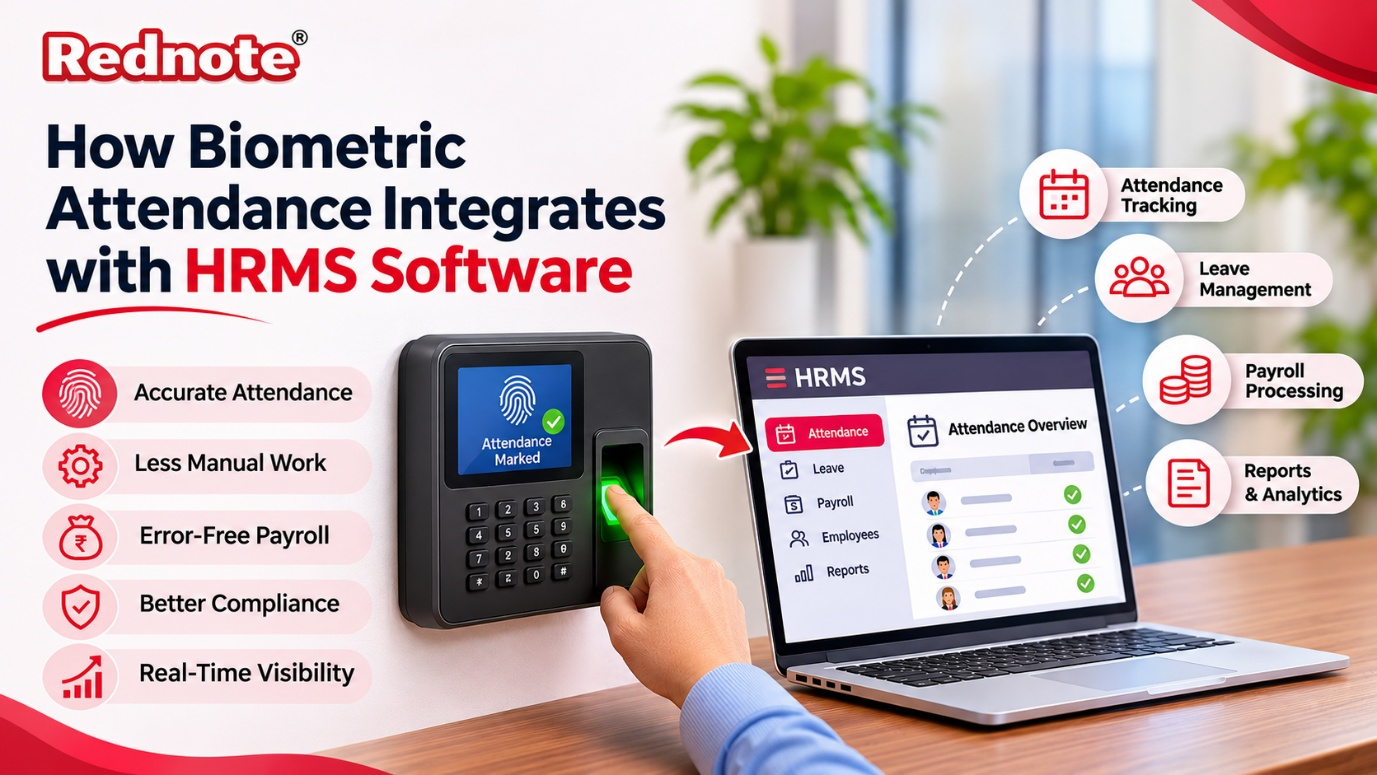
How Biometric Attendance Integrates with HRMS Software
If your HR team still spends the last week of every month chasing registers, fixing punch errors and arguing over late marks, you are not alone. Many growing businesses face this problem, and the fix is simpler than it looks. When you connect fingerprint or face-recognition devices to a modern HRMS software, attendance stops being a manual chore and becomes a clean, automatic stream of data. In this guide, we will walk through how that connection works, what it changes for your team, and what to check before you set it up.
What Is Biometric Attendance, Really?
A biometric attendance system identifies an employee using something unique to them, such as a fingerprint, face, palm or iris. Instead of signing a register or swiping a card that a friend can carry for them, the employee places a finger on a scanner or looks at a camera. The device confirms who they are and records the exact time.
On its own, though, a biometric device is only a smart punching machine. It stores logs, but it does not understand shifts, leave balances, holidays or salary rules. That is where integration comes in. The real value appears when those raw punches flow into a system that knows how your company actually works.
How the Integration Works, Step by Step
The process sounds technical, but it follows a simple chain of events. Here is what happens behind the scenes.
1. The employee punches in. The device captures the fingerprint or face, matches it with the stored template and creates a time log with the employee ID and timestamp.
2. The data is transferred. Depending on the setup, the device pushes logs to the software through an API, a cloud connection, or a local bridge utility that reads the device database at set intervals. Cloud-enabled devices usually send data in near real time. Older devices may sync every few minutes or at the end of the day.
3. The software maps each punch to the right employee. Every person has a unique ID in the system. The software matches the device ID with the employee record, so there is no confusion between two people with similar names.
4. Rules are applied. This is the step that makes integration valuable. The system compares each punch with the employee’s assigned shift, grace period, weekly off, holiday calendar and approved leave. It then marks the day as present, absent, half-day, late or on overtime.
5. Exceptions are flagged. If someone forgets to punch out, or the log is incomplete, the system raises a regularization request. A manager can approve or reject it with a couple of clicks.
6. The final attendance feeds payroll. Once the month closes, the approved attendance moves straight into salary calculation. No re-typing, no spreadsheets.
Why Integration Matters More Than the Device
Many companies buy good biometric machines and still struggle, because the devices run in isolation. Someone has to download the logs, clean them in Excel and send them to the finance team. Every manual step is a chance for a mistake.
A connected HR software removes those steps. Employees can check their own attendance on a phone, managers can see who is in or late as it happens, and HR gets a single source of truth. Nobody needs to maintain three versions of the same file. Disputes also reduce, because both sides look at the same timestamped record.
Key Benefits for Your Business
Accurate attendance without buddy punching
Proxy attendance is a quiet drain on many organizations. Biometric verification makes it nearly impossible for one person to punch for another. Over a year, the savings in wrongly paid hours can be significant, especially in factories, retail chains and large offices.
Less manual work for HR
Consider a company with 300 employees. Collecting and verifying attendance by hand can take several days each month. With an integrated setup, most of that work disappears. HR can then spend time on hiring, engagement and policy, which are tasks that actually need a human touch.
Fewer salary errors
Wrong attendance means wrong salary, and wrong salary means unhappy employees. When punches flow automatically into payroll software, deductions for late marks, overtime payments and loss-of-pay days are calculated from the same trusted data. Errors fall sharply, and so do the awkward conversations that follow.
Better compliance and audit readiness
Labour laws require employers to maintain accurate attendance and working-hour records. An integrated system keeps a clean, time-stamped history that is easy to pull up during an audit. Overtime limits, weekly rest rules and leave records stay organized in one place.
Real-time visibility for managers
Team leads can see who has arrived, who is on leave and who is running late without calling anyone. For businesses with multiple branches, head office can view attendance across all locations from one dashboard.
How Attendance Connects with Payroll
This is the part most business owners care about, so it is worth explaining clearly.
Payroll depends on a handful of attendance facts: total working days, days present, leave taken, late arrivals, overtime hours and holidays worked. In a connected system, these numbers are calculated automatically at month end. The software then applies your salary structure, adds allowances, subtracts deductions such as PF, ESI and tax, and generates payslips.
If a manager approves a regularization on the 28th, the payroll figures update on their own. There is no need to rerun a spreadsheet or inform the finance team separately. Companies that use a combined HR payroll software often cut their monthly payroll cycle from several days to a few hours, and they trust the result more.
Common Challenges and How to Handle Them
Integration is not complicated, but a few issues come up often. Knowing them in advance saves time.
Device compatibility. Not every biometric machine works with every platform. Before buying, confirm that your devices support the integration method your software uses, whether that is API, cloud push or a bridge tool.
Poor internet connectivity. If your office or factory has unstable internet, choose devices that store logs offline and sync automatically once the connection returns. You should never lose a punch because of a network drop.
Employee data mismatch. Wrong employee IDs on the device cause logs to land on the wrong profile. Do a clean data upload and test with a small group before going live.
Resistance to change. Some employees worry about privacy or feel they are being watched. Explain that biometric templates are stored as encrypted data, not as actual fingerprint images, and that the goal is fair, accurate records for everyone.
Complex shift patterns. Companies with rotating or night shifts need software that handles flexible schedules. Test these cases during the trial period, not after rollout.
What to Check Before You Choose a Platform
Take your time with this decision, because switching later is painful. Here are the practical questions to ask any vendor:
- Which biometric brands and models do you support?
- Does attendance sync in real time or at fixed intervals?
- Can I set different shifts, grace periods and overtime rules?
- Is there a mobile app for employees and managers?
- How does the system handle missed punches and corrections?
- Is the data encrypted, and where is it stored?
- Can attendance flow directly into salary processing?
- What kind of support and training do you provide?
If you want to see how these features come together in one platform, you can explore the solutions available at rednote.in and compare them against your own checklist.
Tips for a Smooth Rollout
Start with a pilot in one department rather than the whole company. This lets you catch device or mapping problems early. Keep your shift and leave policies documented before you configure them, because the software will only be as good as the rules you give it. Train managers on the approval flow, since they handle most of the day-to-day corrections. Finally, review the first two payroll cycles closely and compare them with your old method. After that, most teams find the system runs on its own.
The Bottom Line
Biometric devices capture who showed up and when, and the software decides what that information means for shifts, leave and salary. Together they remove guesswork, reduce errors and give both employees and managers a fair, transparent record. For any business that wants accurate attendance and faster payroll, connecting the two is one of the highest-return upgrades you can make. To get started, look at a modern HRMS software that supports your devices, and book a demo at rednote.in to see the full attendance-to-payslip flow in action.