



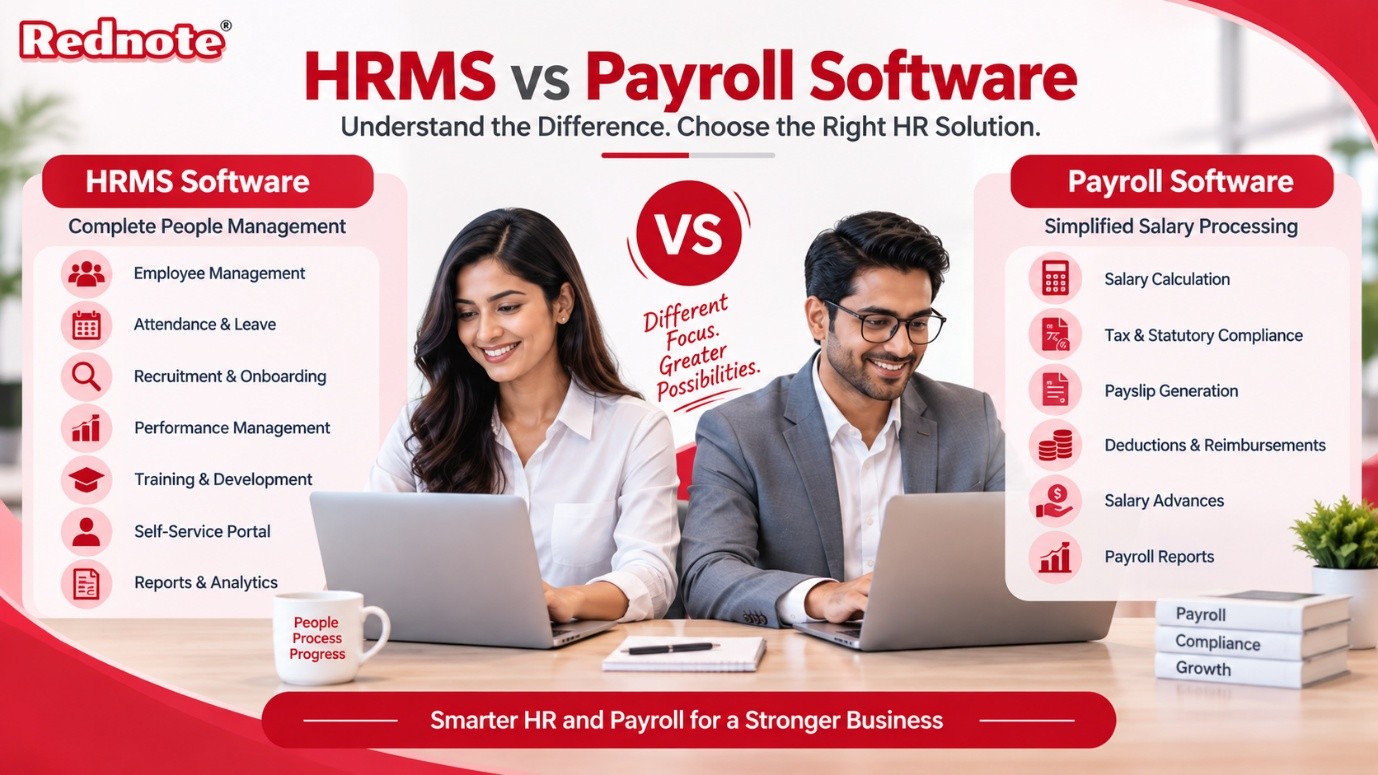
HRMS vs Payroll Software: What Is the Difference?
Managing a modern workforce requires smart tools, clear processes, and robust technology. As businesses expand, manual spreadsheets and fragmented documentation quickly become obsolete. This is where modern digital systems step in to streamline everyday workplace administrative operations. However, many business owners, operations leads, and human resource managers frequently confuse two foundational workplace tools: HRMS software and dedicated salary processing tools.
While both platforms play a critical role in workforce management, their core scopes, feature sets, and functional objectives are distinct. Selecting the wrong solution can lead to inefficient workflows, unnecessary operational costs, or gaps in your workforce compliance tracking.
In this comprehensive guide, we will unpack the definitions, core functions, key differences, and integration advantages of both solutions so you can decide which technology fits your organization’s immediate and long-term needs.
Understanding the Fundamentals: Definitions and Core Purpose
To evaluate which option best suits your organization, you must first understand what each system is engineered to accomplish.
What is HRMS Software?
An HRMS software (Human Resource Management System) is an all-in-one suite designed to manage, monitor, and optimize the entire employee lifecycle—from initial recruitment and onboarding to continuous performance tracking, learning management, and final offboarding.
Think of it as a centralized database and operational hub for your company's human capital. It connects various personnel management functions into a single dashboard, enabling strategic planning, reducing administrative friction, and improving employee engagement.
Core Modules of HRMS Solutions:
- Recruitment and Applicant Tracking (ATS): Managing job openings, sourcing candidates, scheduling interviews, and issuing offer letters.
- Employee Lifecycle Management: Storing digital personnel records, organizational charts, asset tracking, and document sign-offs.
- Onboarding & Offboarding: Automated task workflows for welcoming new hires and managing exit interviews or clearance forms.
- Performance Management: Setting KPIs, conducting 360-degree performance appraisals, and tracking employee growth paths.
- Time & Attendance Tracking: Monitoring work hours, shift scheduling, late arrivals, overtime, and biometric or geo-location clock-ins.
- Leave Management: Customizing leave policies, tracking entitlements, and approving time-off requests in real time.
What is Payroll Software?
A dedicated Payroll software is a specialized financial platform built explicitly to automate salary calculations, tax withholdings, statutory compliance deductions, and direct deposit disbursements.
While an HR system focuses heavily on workforce management, salary tools focus strictly on financial accuracy, compliance adherence, and timely compensation delivery. It eliminates manual errors, prevents compliance penalties, and ensures every employee gets paid accurately and on time, every single pay cycle.
Core Modules of Dedicated Payroll Platforms:
- Automated Salary Calculation: Computing gross pay, net pay, allowances, overtime pay, and custom bonuses across varied pay structures.
- Statutory Compliance Management: Auto-calculating Provident Fund (PF), Employee State Insurance (ESI), Professional Tax (PT), and Income Tax / TDS deductions based on national and regional labor laws.
- Reimbursement & Advance Management: Tracking business expense claims with receipt uploads and managing employee salary advance repayments across payroll cycles.
- Direct Bank Transfer Integration: Generating bank-ready payment files for fast, error-free automated salary credits.
- Employee Self-Service (ESS) Payslips: Providing secure digital portals for employees to download monthly payslips, view tax declarations, and check year-end summaries.
HRMS vs Payroll Software: Key Differences Compared
While both solutions help automate personnel tasks, their operational focus differs significantly. Below is a structured comparison highlighting how these platforms differ across critical operational criteria:
| Comparison Criterion | HRMS Platform | Dedicated Payroll Tool |
|---|---|---|
| Primary Focus | Comprehensive workforce lifecycle management & employee engagement | Accurate compensation processing, tax deductions & financial compliance |
| Target Users | HR managers, department heads, line managers, and all employees | Payroll specialists, HR teams, finance departments, and accountants |
| Core Functions | Hiring, attendance, leave management, appraisals, and employee records | Base salary, overtime calculations, tax filing, bonuses, and reimbursements |
| Data Handled | Career history, skill metrics, performance notes, leaves, personal info | Bank details, tax forms, salary structures, deductions, and pay receipts |
| Business Impact | Boosts productivity, improves retention, and structures workforce flow | Prevents financial penalties, eliminates pay errors, and ensures legal compliance |
| Implementation Scope | Broader setup scope covering organization-wide workflows | Faster deployment focused specifically on financial structures and rules |
Deep Dive: Key Differences You Must Know
1. Breadth of Operations vs. Financial Depth
The main difference between the two systems lies in the scope of their functions. An all-in-one personnel management platform is broad—it touches nearly every phase of an employee’s journey within the organization. Its primary purpose is to help HR professionals recruit, develop, retain, and structure teams effectively.
Conversely, payroll automation is deep rather than broad. It focuses intensely on one business-critical function: accurate compensation. It ensures every mathematical equation governing salaries, overtime multipliers, tax brackets, and local compliance rules executes flawlessly.
2. Strategic Human Resources vs. Tactical Financial Execution
Human resource platforms empower leaders to make data-driven, strategic decisions regarding talent acquisition, skill gaps, organizational growth, and employee satisfaction.
Payroll tools function as a tactical execution engine. They ensure that operational inputs—such as total days worked, approved leave, overtime hours, and expense approvals—translate smoothly into an accurate, compliant salary transfer every month.
3. Data Sensitivity and Access Controls
An enterprise human resource tool houses qualitative and personal qualitative data: performance reviews, peer feedback, resume files, emergency contacts, and training status. Access levels are mapped based on management hierarchies so team leads can view relevant reports for their direct reports.
A financial processing tool, on the other hand, deals strictly with sensitive financial records: bank account numbers, tax identification details, salary slabs, and benefit deductions. Access is strictly controlled and typically restricted to finance personnel, executive leadership, and payroll administrators.
The Power of Unified HR Payroll Software
Historically, organizations ran separate systems: one database for tracking employee attendance and personnel files, and an isolated accounting tool for processing monthly wages. However, maintaining disconnected systems creates administrative bottlenecks, data siloes, and manual transfer errors.
When attendance data from a standalone system must be manually exported into CSV files and uploaded into financial software, human errors inevitably occur. A missed leave entry or miscalculated overtime hour leads to salary disputes, frustrated employees, and extra administrative correction cycles.
This operational challenge is precisely why modern organizations are adopting a unified HR payroll software approach. Combining complete human capital management with automated compensation processing under a single cloud platform yields significant business advantages:
- Zero Data Redundancy: Employee attendance records, leave approvals, reimbursements, and salary advance requests flow automatically into monthly payroll calculations without manual intervention.
- Real-Time Statutory Compliance: Changes in tax laws, Provident Fund (PF) rules, or labor regulations update seamlessly across both attendance policies and pay slip generations.
- Enhanced Employee Self-Service (ESS): Employees use a single login portal or mobile app to mark attendance, apply for time off, submit expense receipts, download tax certificates, and review pay slips.
- Reduced Operational Costs: Managing one integrated software platform eliminates duplicate subscription fees, cuts setup costs, and simplifies vendor management.
Through integrated platforms like RedNote, businesses can automate attendance logging via biometric devices or geo-tracking while seamlessly calculating taxes and processing salaries—ensuring an efficient, error-free operational workflow from start to finish.
Which Solution Does Your Business Actually Need?
Selecting between these technologies depends largely on your company's current size, operational complexity, and growth objectives.
| Step | Question / Focus | Recommendation |
|---|---|---|
| 1 | What is your primary pain point? | Identify the main HR challenge |
| 2 | Focus on salary calculations, tax rules & timely compensation | Payroll Software |
| 3 | Focus on recruitment, attendance, appraisals & HR workflows | HRMS Software |
| 4 | Need an end-to-end platform combining HR and payroll? | Unified HR Payroll Software |
Choose Dedicated Payroll Tools If:
- You are a small business with a stable team where personnel management is handled informally or manually.
- Your main bottleneck is the time spent calculating complex taxes, shift pay, expense reimbursements, and statutory filings every month.
- You already have an established system for managing employee attendance and performance, but require dedicated precision for wage calculations.
Choose Full HR Software Platforms If:
- Your primary challenge revolves around managing large hiring drives, complex onboarding, employee appraisal cycles, and cross-department workflows.
- You need comprehensive organizational charts, document management, training logs, and structured employee career mapping.
- Your leadership team requires qualitative analytics on talent turnover, workforce productivity, and performance metrics.
Choose an Integrated Unified Platform If:
- You are a fast-growing small-to-medium enterprise (SME) or large business looking to eliminate manual data entry entirely.
- You want to manage real-time biometric or mobile attendance, leave approvals, salary advances, overtime rules, statutory filings, and automated salary disbursements in a single unified system.
- You want to provide a single, modern Employee Self-Service portal to improve transparency, boost workplace satisfaction, and reduce routine HR queries.
By leveraging modern business software from proven providers like Rednote, organizations can easily transition from messy manual administration to a streamlined, automated workplace ecosystem.
Conclusion
Understanding the operational differences between salary calculators and complete human capital platforms is crucial for building a scalable workforce strategy. While standalone compensation tools ensure financial accuracy and compliance, a complete management suite builds a structured, engaging, and high-performing workplace culture.
For most modern businesses looking to scale efficiently, choosing a unified solution that combines both functions is the best approach. Investing in an all-in-one HR software solution equipped with built-in financial automation streamlines administrative workflows, ensures legal compliance, and allows your team to spend less time on paperwork and more time growing your core business.

