



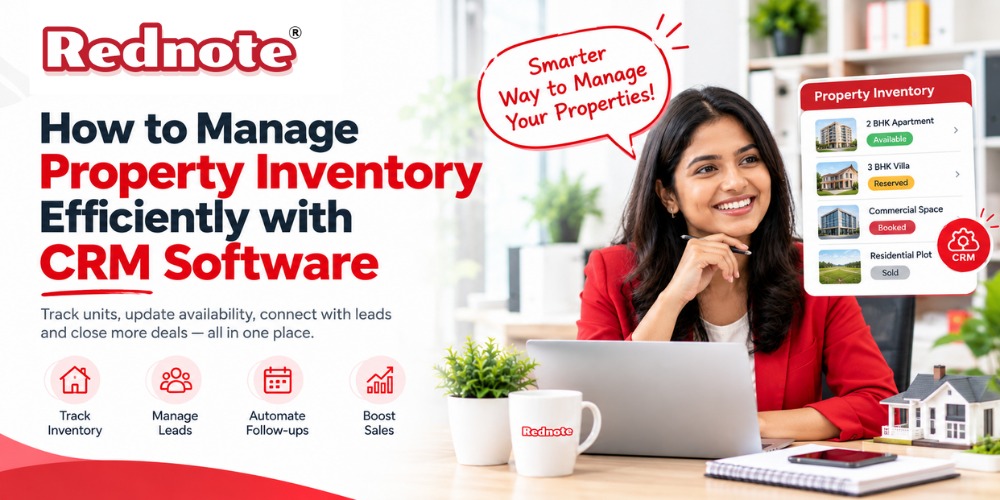
How to Manage Property Inventory Efficiently with CRM Software
Managing property inventory can become difficult when a real estate business handles hundreds of apartments, villas, plots, commercial spaces, or rental properties. Property availability changes quickly, prices are updated regularly, and multiple sales teams may work on the same inventory.
When this information is managed through spreadsheets, WhatsApp messages, emails, or separate systems, mistakes can easily happen. A property may be shown as available when it has already been booked. A sales executive may share an outdated price. Another team member may not know that a unit has been reserved.
This is where CRM Software for Real Estate can make a major difference.
A modern CRM can connect property inventory with leads, sales activities, follow-ups, bookings, and customer information in one place. Instead of checking multiple files, sales teams can access updated property information from a centralized system.
What Is Property Inventory Management?
Property inventory management is the process of tracking and managing all available real estate units within a project or property portfolio.
Depending on the business, inventory may include:
- Apartments and flats
- Villas and independent houses
- Residential plots
- Commercial properties
- Office spaces
- Retail units
- Rental properties
- Parking spaces
- New project units
- Resale properties
Property inventory is not static. Units can move through different stages such as available, blocked, reserved, booked, sold, rented, or unavailable.
A proper inventory management system helps the business know exactly what is available at any given time.
Why Is Property Inventory Management Important?
Real estate sales depend heavily on accurate and timely information. When inventory information is outdated, the sales team can lose opportunities and create unnecessary confusion.
For example, imagine a project has 100 apartments. Twenty units are sold, ten are reserved, five are blocked, and the remaining units are available.
If the sales team is using an old spreadsheet, they may not know the current status of every unit. This can result in duplicate follow-ups, incorrect quotations, or customers being offered units that are no longer available.
Effective real estate inventory management helps businesses:
- Maintain accurate property availability
- Reduce manual data entry
- Prevent duplicate bookings
- Track unit status
- Improve sales coordination
- Provide faster customer responses
- Monitor property prices
- Track inventory movement
- Improve sales forecasting
- Reduce administrative work
How CRM Software Helps Manage Property Inventory
A Real Estate CRM Software can bring property inventory and customer management together.
Instead of treating inventory and leads as separate activities, the CRM connects them. Sales representatives can see which property a customer is interested in, what units are available, when the customer was contacted, and what action should happen next.
Here are some important ways CRM software can improve property inventory management.
1. Centralized Property Database
A CRM provides a centralized location for storing property information.
Each property or unit can have details such as:
- Project name
- Property type
- Unit number
- Floor
- Size
- Location
- Number of bedrooms
- Property price
- Availability status
- Booking status
- Assigned sales executive
- Customer details
- Payment information
This reduces dependency on separate spreadsheets and documents.
When information is stored in one system, authorized employees can access the latest data without asking different departments for updates.
2. Real-Time Inventory Updates
Property availability can change several times during a day.
A customer may reserve a unit in the morning, another buyer may book a different unit in the afternoon, and a previously blocked property may become available again.
With CRM inventory management, teams can update these changes immediately.
For example:
Available → Blocked → Reserved → Booked → Sold
The exact workflow can be customized according to the company's sales process.
Real-time updates help sales teams avoid offering unavailable properties to new customers.
3. Property Status Tracking
One of the biggest advantages of using CRM software is the ability to track the status of every unit.
A simple inventory dashboard can show:
This gives managers a quick overview of the entire property portfolio.
4. Connect Inventory With Leads
Property inventory becomes more useful when it is connected with customer leads.
Suppose a customer submits an enquiry for a three-bedroom apartment under a specific budget.
The CRM can help the sales team identify suitable available units based on criteria such as:
- Property type
- Budget
- Location
- Unit size
- Floor preference
- Number of bedrooms
- Amenities
- Availability
This can make the sales process faster and more organized.
Instead of searching through different files, the salesperson can check suitable properties directly from the CRM.
5. Avoid Duplicate Bookings
Duplicate bookings can create serious problems for property businesses.
When multiple salespeople work independently, two employees may unknowingly promise the same unit to different customers.
A centralized CRM reduces this risk by providing a shared inventory view.
When a unit is reserved or booked, the status can be updated immediately. Other sales executives can then see that the property is no longer available for new bookings.
6. Manage Property Pricing
Property prices may vary depending on floor, size, location, project phase, amenities, or promotional offers.
CRM software can help maintain pricing information along with inventory data.
For example:
| Unit | Type | Size | Status | Price |
|---|---|---|---|---|
| A-101 | 2 BHK | 1,100 sq. ft. | Available | ₹65 Lakh |
| A-204 | 2 BHK | 1,150 sq. ft. | Reserved | ₹68 Lakh |
| B-301 | 3 BHK | 1,450 sq. ft. | Available | ₹82 Lakh |
| B-502 | 3 BHK | 1,600 sq. ft. | Sold | ₹95 Lakh |
The sales team can use current information while speaking with customers.
7. Automate Follow-Ups
Inventory management is closely connected with lead follow-up.
A customer may show interest in a property but not make an immediate decision. CRM software can remind the sales executive to contact the customer again.
Automated reminders can be created for:
- New enquiries
- Property visits
- Follow-up calls
- Price discussions
- Booking deadlines
- Document collection
- Payment reminders
- Reservation expiry
- Post-sales communication
This helps prevent interested leads from being forgotten.
8. Track Property Visits
Property visits are an important part of real estate sales.
A CRM can record:
- Customer name
- Property visited
- Visit date
- Sales executive
- Customer feedback
- Preferred unit
- Next follow-up date
- Purchase probability
This information can help managers understand which properties generate the most interest.
It can also help salespeople provide more personalized follow-ups.
9. Generate Inventory Reports
Managers need reports to understand how inventory is performing.
A CRM can provide reports such as:
- Total available units
- Sold units
- Reserved units
- Monthly bookings
- Inventory by project
- Inventory by property type
- Salesperson performance
- Lead-to-booking conversion
- Property visit conversion
- Revenue generated
These reports can support better business decisions.
For example, if a particular project has many available units but receives fewer enquiries, management can review its pricing, marketing strategy, positioning, or lead generation activities.
CRM Inventory Management vs Spreadsheet Management
Many small real estate businesses still use Excel or Google Sheets for inventory tracking. Spreadsheets can work for small inventories, but they become harder to manage as the business grows.
| Feature | Spreadsheet | CRM Software |
|---|---|---|
| Centralized inventory | Limited | Yes |
| Real-time updates | Manual | Easier |
| Lead management | Limited | Built-in |
| Follow-up reminders | Manual | Automated |
| Sales tracking | Basic | Advanced |
| Reporting | Manual | Automated |
| User access control | Basic | Advanced |
| Duplicate booking prevention | Difficult | Easier |
| Customer history | Limited | Complete |
| Scalability | Limited | High |
A spreadsheet may still be useful for simple operations. However, businesses managing multiple projects, properties, and salespeople can benefit from a dedicated CRM.
Best Practices for Managing Property Inventory With CRM
Simply installing CRM software does not automatically solve inventory problems. The system needs to be configured correctly.
Keep Property Information Consistent
Use standardized names, unit numbers, property types, and status labels.
Avoid situations where one employee uses “Booked” while another uses “Confirmed.”
Update Inventory Immediately
Make inventory updates part of the sales workflow.
When a property is reserved or sold, update the CRM immediately instead of waiting until the end of the day.
Define User Permissions
Not every employee needs access to every CRM function.
Managers can have broader permissions, while sales representatives can have access to relevant properties and leads.
Review Inventory Regularly
Schedule regular inventory checks to identify outdated information, duplicate records, expired reservations, and incorrect prices.
Connect Marketing and Sales
Marketing teams generate leads, while sales teams convert them into customers.
Connecting both activities in the CRM helps the business understand which campaigns generate enquiries and which properties receive the most interest.
Pro Tip
Do not treat property inventory as a separate database from your sales pipeline.
Connect every available unit with relevant leads, follow-ups, property visits, quotations, and bookings. This creates a complete customer journey inside the CRM.
For example:
Lead → Property Interest → Property Visit → Follow-Up → Unit Reservation → Booking → Sale
When these stages are connected, managers can identify where leads are being lost and which properties are converting better.
How to Choose the Right CRM for Property Inventory Management
Every real estate business has different requirements. Before selecting CRM software, consider the size of your inventory and sales team.
Look for features such as:
- Property inventory management
- Lead management
- Customer database
- Automated follow-ups
- Property search and filtering
- Sales pipeline management
- Booking management
- Task reminders
- Reports and dashboards
- Mobile access
- User permissions
- Integration capabilities
- Custom workflows
The CRM should also be easy for salespeople to use. A system with many features but a complicated interface may not deliver the expected results.
Benefits of Efficient Property Inventory Management
When inventory is properly managed through CRM software, businesses can achieve several benefits.
Better Sales Productivity
Salespeople spend less time searching for property information and more time communicating with customers.
Fewer Errors
Centralized and updated data reduces mistakes caused by outdated spreadsheets or manual records.
Faster Customer Responses
Sales representatives can quickly identify suitable properties and provide accurate information.
Better Customer Experience
Customers receive more relevant property recommendations and faster follow-ups.
Improved Management Visibility
Managers can monitor inventory, leads, bookings, and sales performance from one dashboard.
Better Forecasting
Historical inventory and sales data can help businesses estimate future demand and revenue.
Final Thoughts
Efficient property inventory management is essential for modern real estate businesses. As the number of projects, properties, leads, and salespeople increases, manual inventory management becomes harder to maintain.
CRM software for real estate provides a centralized way to manage property information, customer enquiries, follow-ups, bookings, and sales activities.
The biggest advantage is not simply storing property data. It is connecting inventory with the entire sales process.
When your team knows what is available, who is interested, which unit has been reserved, and what follow-up is due, the sales process becomes much more organized.
For growing property businesses, moving from disconnected spreadsheets to a centralized property CRM software system can improve visibility, reduce errors, and help sales teams work more efficiently.

