Manual HR Management vs Digital HR Management: Key Differences
If your HR team still spends the first week of every month chasing attendance sheets, fixing payroll errors and answering the same leave questions again and again, you are not alone. Many growing companies reach a point where spreadsheets and paper files simply stop keeping up. That is usually the moment business owners start looking at HRMS software Chennai options and asking a fair question: is going digital really worth the effort? This blog breaks down the real differences between manual and digital HR management, in plain language, so you can decide what fits your business today.
What Is Manual HR Management?
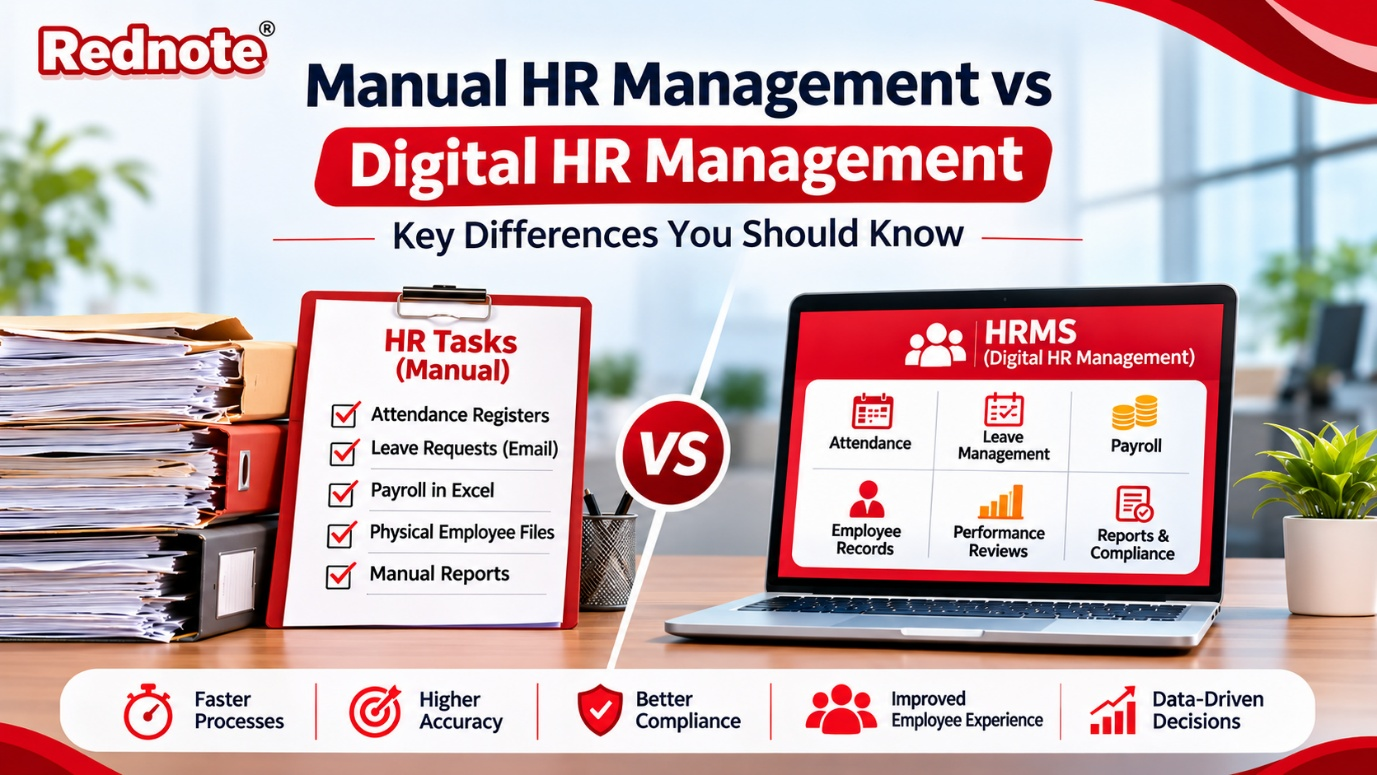
Manual HR management means handling people-related work with paper files, Excel sheets, emails, WhatsApp messages and a lot of memory. Attendance is marked in a register or a punching machine report. Leave requests come through email or a quick word with the manager. Salaries are calculated in a spreadsheet, and employee records sit in folders inside a cabinet or scattered across a few computers.
To be fair, this method has worked for decades. For a team of ten or fifteen people, it can even feel comfortable. The HR person knows everyone, the process is familiar, and there is no software cost. The trouble starts when the company grows, because every new employee adds more sheets, more follow-ups and more chances for something to go wrong.
What Is Digital HR Management?
Digital HR management means using a Human Resource Management System (HRMS) to handle the whole employee journey from one place. Hiring, onboarding, attendance, leave, payroll, performance reviews, document storage and exit formalities all live inside a single platform. Employees can log in to check their payslips, apply for leave or update their details, without waiting for someone in HR to respond.
The idea is simple: let the software do the repeated, rule-based work so your HR team can focus on people, not paperwork.
Key Differences Between Manual and Digital HR Management
1. Speed and Time Spent
In a manual setup, even small tasks take longer than they should. Collecting attendance from different branches, merging it into one sheet and then calculating salaries can easily eat up three or four days every month. With a digital system, attendance flows in automatically, leave balances update by themselves, and payroll can be processed in a few clicks. The hours you save are real, and they add up to weeks over a year.
2. Accuracy and Errors
Human error is the biggest weakness of manual HR. A wrong formula, a missed half-day or a copied figure from the wrong row can lead to incorrect salaries. Fixing it later creates frustration for the employee and extra work for HR. Digital systems follow the rules you set once, such as working hours, overtime, deductions and leave policy, and apply them the same way every time. The result is far fewer mistakes.
3. Payroll Processing
Payroll is where the difference is felt the most. Manual payroll means calculating PF, ESI, professional tax and TDS by hand or through complicated sheets, and keeping up with every rule change. A good HRMS calculates statutory deductions automatically, generates payslips and produces reports ready for filing. That alone can save a small HR team from a lot of month-end stress.
4. Attendance and Leave Tracking
Paper registers and shared spreadsheets make it hard to see who is on leave, who is late and who has exceeded their balance. Digital attendance tools connect with biometric devices, mobile apps or GPS check-ins, and show everything in real time. Managers approve leave from their phones, and employees see their balance instantly. No more back-and-forth emails.
5. Compliance and Record Keeping
Labour laws, statutory filings and audit requirements need clean records. In a manual system, finding a three-year-old appointment letter or an old appraisal can turn into a treasure hunt. Digital HR keeps documents organised, searchable and time-stamped. When an audit comes around, you can pull up what you need in minutes, and the system can remind you about renewals and due dates so nothing is missed.
6. Data Security
A cabinet can be opened by the wrong person, and an Excel file can be forwarded to the wrong email. Employee data includes salary details, bank accounts and personal documents, so it needs proper protection. Digital HR platforms offer role-based access, so a manager sees only their team's data, and every change is logged. Regular backups also mean one system crash will not wipe out years of records.
7. Employee Experience
Think about it from the employee's side. In a manual process, they wait for HR to share a payslip, confirm a leave or issue an experience letter. In a digital process, they open an employee self-service portal and get it themselves. This small change builds trust and makes your company feel organised and modern, which matters when you are trying to hold on to good people.
8. Cost Over Time
Manual HR looks cheap because there is no subscription fee. But the hidden costs are significant: extra staff hours, payroll mistakes, penalties for late filings and the time managers lose on approvals. Digital HR does need an upfront investment, though most businesses find that it pays for itself through saved time and fewer errors. Pricing is usually per employee per month, so it scales as you grow.
9. Reports and Decision Making
If you ask a manual HR team for last quarter's attrition rate or overtime cost, the answer might take a day or two to put together. A digital system gives you dashboards and reports on demand, covering headcount, absenteeism, hiring trends and payroll cost. Better data means better decisions, and you stop guessing about your own workforce.
When Manual HR Can Still Work
It is worth being honest here. If you run a very small team, say under ten people, with a single location and simple salary structures, manual methods may still do the job. You do not have to buy software just because everyone else is. The key is to be aware of the point at which spreadsheets start costing you more than they save.
Signs It Is Time to Go Digital
If you notice any of these, it is probably time to make the switch:
- Payroll takes more than two days to finish every month
- Employees regularly complain about salary or leave errors
- You have more than one branch or a work-from-home team
- HR spends more time on data entry than on hiring and engagement
- You struggle to produce records during audits
- Your headcount is growing and the process is already stretched
Why Local Businesses Are Moving to Digital HR
Chennai has a mix of IT firms, manufacturing units, schools, hospitals, retail chains and fast-growing startups, and each of them has different HR needs. A factory needs shift-based attendance and overtime tracking, while a service company may need mobile check-ins and flexible leave rules. Many of these businesses prefer working with a local team that understands Tamil Nadu compliance, offers support in their time zone and can visit when needed. That is why more companies are choosing an HRMS software Chennai provider instead of a generic tool built for another market.
How to Choose the Right HRMS
Before you sign up for anything, spend some time on these points:
- List your real needs. Do you need payroll, attendance, recruitment or all three? Do not pay for features you will never use.
- Check statutory support. Make sure PF, ESI, PT and TDS are handled correctly for Indian businesses.
- Look for ease of use. If your team finds it confusing, they will go back to Excel within a month.
- Ask about mobile access. Managers and employees should be able to do most things from their phones.
- Test the support. Good onboarding and quick response times matter more than a long feature list.
- Ask for a demo. Seeing the system with your own data is the best way to judge it.
If you want to see how a locally built solution works in practice, you can explore the options at rednote.in and compare them against your checklist.
Making the Switch Without the Headache
Moving to digital HR does not have to be a big disruption. Start by cleaning up your employee data, then roll out one module at a time, usually attendance and leave first, followed by payroll. Train your managers early, because their approvals keep the system running. Run the old and new payroll side by side for one month so you can catch any gaps. Most teams settle in within two or three months and wonder why they waited so long. Whichever HRMS software Chennai vendor you shortlist, ask them to guide you through this transition step by step.
Digital HR Management for Business Growth
Manual HR management is not wrong, but it has limits, and those limits show up quickly as a business grows. Digital HR management brings speed, accuracy, better compliance and a smoother experience for everyone, from the HR team to the newest joiner. The real question is not whether to go digital, but when. If you are ready to take that step, take a look at HRMS software Chennai solutions at rednote.in, book a demo and see how much time your team can get back.