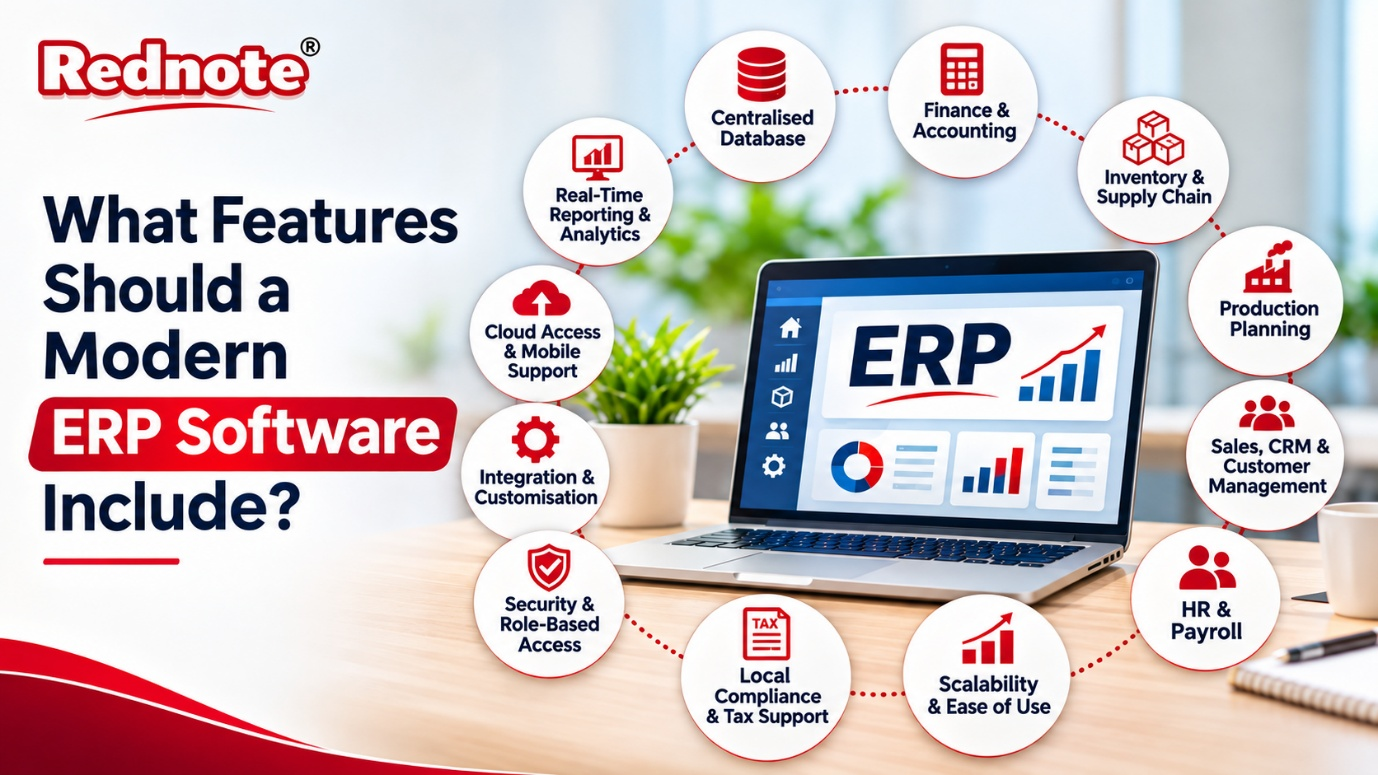
What Features Should a Modern ERP Software Include?
Most businesses don’t wake up one day and decide to buy ERP software. It usually starts with a small headache. Sales keeps its numbers in one spreadsheet, the warehouse tracks stock in another, and accounts is always waiting on someone for the latest figures. Over time these gaps turn into delays, errors and unhappy customers.
That is the moment most owners start asking what a good ERP should actually do. The market is crowded, every vendor promises everything, and it is hard to tell a real feature from a sales pitch. This guide walks through the features a modern ERP should include, so you can judge any solution with confidence.
A Single, Centralised Database
This is the foundation of everything else. A modern ERP system keeps all your business data in one place. Sales orders, purchase bills, stock levels, payroll and customer records all live in the same database.
Why does it matter? Because when your teams work from one version of the truth, arguments about whose spreadsheet is correct disappear. If a salesperson confirms an order, the warehouse, accounts and production teams see it instantly. No one has to re-type data, and re-typing is where most errors begin.
Finance and Accounting Management
Every business runs on money, so the finance module must be strong. Look for these basics:
- General ledger, accounts payable and accounts receivable
- Automatic invoicing and payment reminders
- Bank reconciliation
- Budgeting and cost tracking
- Multi-currency and multi-branch support
A good finance module also posts entries automatically. When a purchase order is received, the system should update inventory and accounts without anyone entering the data twice. This saves hours at month-end and makes audits far less painful.
Inventory and Supply Chain Control
Stock is cash sitting on a shelf. Too much of it ties up your money, and too little means lost sales. A modern ERP should give you live visibility of stock across every warehouse and location.
Useful features include barcode or QR scanning, batch and serial number tracking, reorder alerts, and demand forecasting. It should also manage vendors, purchase requests, goods receipts and returns in one flow. If you deal with many suppliers, vendor performance reports will help you see who delivers on time and who doesn’t.
Production Planning and Shop Floor Management
If you make products, generic software won’t cut it. Dedicated manufacturing ERP software handles the details that factories depend on every day.
Here is what to expect from the production side:
- Bill of Materials (BOM): a clear recipe of every raw material and component in a product
- Production scheduling: plans that account for machine availability and labour
- Work orders: real-time tracking of jobs from start to finish
- Quality control: inspection checkpoints, rejection records and traceability
- Wastage and scrap tracking: so you know where margins quietly leak away
An ERP software for manufacturing company operations should also connect production with purchasing and sales. When a big order comes in, the system should tell you whether you have enough raw material or need to place a purchase order today.
Sales, CRM and Customer Management
A modern ERP doesn’t stop at internal operations. It should also help you win and keep customers. A built-in CRM lets your team track leads, send quotations, convert them to orders and view the full history of every client.
Look for quotation templates, price lists, discount rules, order tracking and after-sales service records. When sales data flows straight into inventory and finance, your team can promise delivery dates with real confidence instead of guessing.
HR and Payroll
People are your biggest cost and your biggest asset. A strong HR module covers employee records, attendance, leave, shift planning and payroll. It should calculate salaries, deductions and statutory contributions automatically.
Some systems add performance reviews, recruitment tracking and employee self-service portals, where staff can apply for leave or download payslips themselves. That reduces the load on your HR team and keeps employees happier.
Real-Time Reporting and Analytics
Data is only useful if you can understand it. Old systems gave you reports a week after the month ended. A modern ERP gives you dashboards that update as things happen.
You should be able to see sales trends, profit margins, outstanding payments, stock ageing and production efficiency at a glance. Better still, the system should let you build custom reports without calling a developer. Predictive analytics is a bonus, since it can flag problems like a likely stock-out before they happen.
Cloud Access and Mobile Support
Business no longer happens only at a desk. Owners travel, sales teams visit clients and supervisors walk the factory floor. A cloud-based ERP with a mobile app lets them approve orders, check stock and view reports from anywhere.
Cloud deployment also removes the burden of maintaining servers, and updates arrive automatically. If you prefer on-premise for control reasons, make sure the vendor still offers secure remote access.
Integration and Customisation
No business uses just one tool. You might have an e-commerce store, a payment gateway, a biometric attendance device or a logistics partner. Your ERP should connect with them through open APIs instead of forcing you to work around it.
Customisation matters just as much. Every company has its own way of working, so the software should let you adjust workflows, approval chains, fields and print formats without breaking the core system.
Security and Role-Based Access
Your ERP will hold sensitive data, so security cannot be an afterthought. Role-based access ensures each person sees only what they need. A store keeper doesn’t need to view salary data, and a sales executive doesn’t need access to bank details.
Also look for audit trails that record who changed what and when, regular automated backups, data encryption and a clear disaster recovery plan.
Local Compliance and Tax Support
Software built abroad often struggles with local rules. If you operate in this market, choose ERP software India businesses can rely on for GST-ready invoicing, e-invoicing, e-way bills, TDS handling and return filing support. Built-in compliance saves you from manual workarounds and costly penalties, and it keeps you updated when regulations change.
Scalability and Ease of Use
Your business will grow, and your ERP should grow with it. Check whether it can handle more users, branches, products and transactions without slowing down. Adding new modules later should be simple.
Finally, don’t overlook usability. A powerful system is worthless if your team finds it confusing. Clean screens, simple navigation and good training support decide whether people actually use the software or quietly go back to spreadsheets.
How to Choose the Right ERP for Your Business
Features are only half the story. Before you decide, write down your top five problems and ask each vendor to show how they solve them. Request a live demo with your own data, not a polished sample. Ask about implementation time, training, support response and total cost, including customisation and upgrades.
Also talk to existing customers in your industry. Their experience will tell you more than any brochure. If you want to see how a complete solution looks in practice, you can explore the offerings at rednote.in and compare them against the checklist above.
Final Thoughts
A modern ERP should do more than store data. It should connect your departments, remove repetitive work, give you real-time visibility and make compliance easier. Centralised data, finance, inventory, production, CRM, HR, analytics, cloud access, integrations, security and scalability make up the core. If a system covers these well, you are on the right track.
Choosing the best ERP software isn’t about picking the one with the longest feature list. It is about finding the one that fits the way your business works today and can handle where you want to be in five years. Take your time, test properly and involve your team in the decision. If you’d like expert guidance, visit rednote.in and see how the right ERP software can bring order to your operations.