



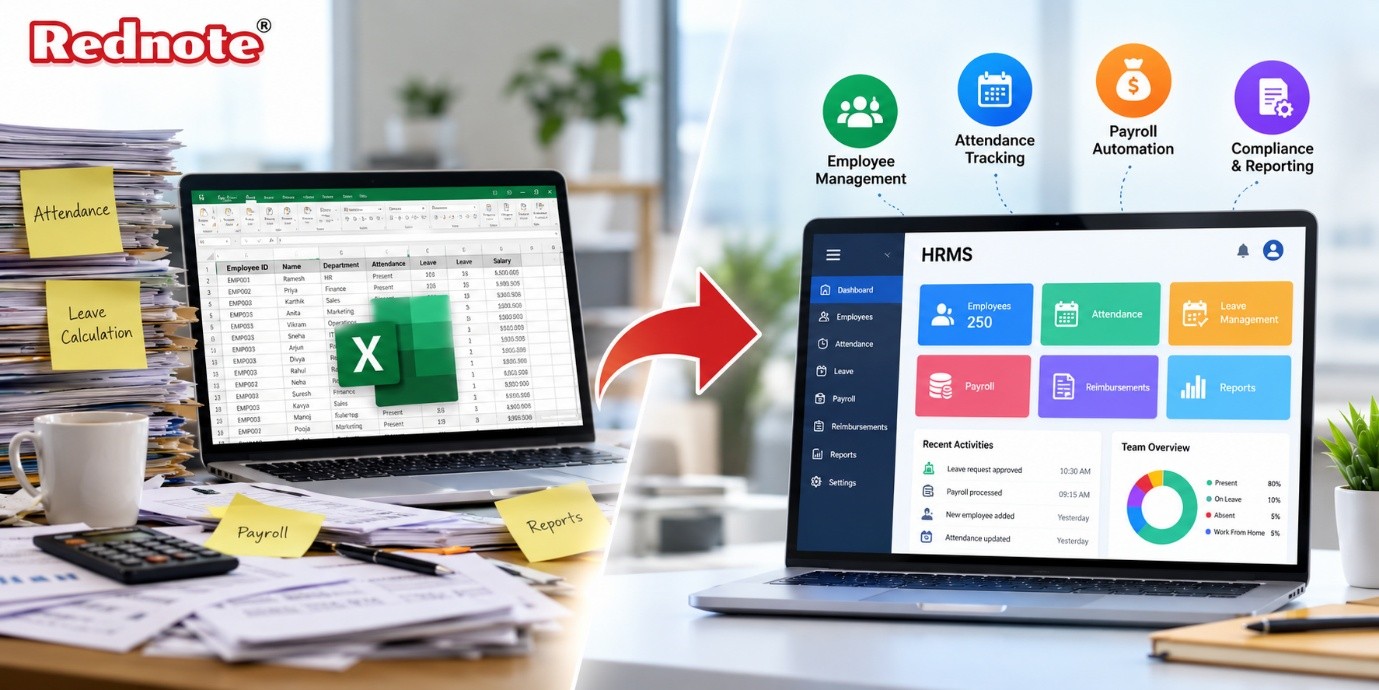
Why Businesses Are Moving from Excel to HRMS Software
For decades, Microsoft Excel served as the undisputed hero of back-office operations. When a business starts out with ten or twenty team members, maintaining employee records, tracking daily attendance, and calculating monthly salaries on a spreadsheet feels simple, flexible, and completely free. However, as organizations grow, what once felt like a convenient tool quickly turns into an administrative bottleneck. Today, growing enterprises are recognizing that relying on static spreadsheets exposes them to critical human errors, severe data security risks, and endless manual work. To stay competitive, fast-growing companies are making a decisive shift toward modern HRMS software, leaving cumbersome manual files behind in favor of end-to-end automation.
The Hidden Cost of Managing HR on Excel
Spreadsheets are designed for numerical analysis and basic calculations—not for managing complex human relationships, fluid attendance rules, dynamic tax slabs, and real-time document approvals. When human resource management is forced into static grid cells, organizations silently accumulate operational friction that drains productivity.
1. Human Errors in Calculations
A single misplaced decimal, an broken formula, or an accidental copy-paste oversight in Excel can mess up salary calculations across an entire department. When payroll team members spend days auditing formulas rather than focusing on strategic people management, administrative costs soar.
2. Missing Security and Data Leakage
Excel workbooks are typically passed around through email attachments or stored in shared drives with minimal access control. Sensitive personal details, salary structures, tax declarations, and bank information can easily be forwarded, downloaded, or modified by unauthorized personnel, creating major data privacy hazards.
3. Disconnected Data Silos
When leave applications live in email threads, attendance logs sit in biometric desktop files, and claims exist on paper receipts, pulling together a single unified report takes days. This lack of centralized data prevents business leaders from obtaining a real-time view of workforce trends, turnover rates, and operational expenses.
Key Benefits Driving the Shift to HR Software
Upgrading to specialized HR software changes how companies operate by centralizing employee life cycles onto a single digital platform. Instead of fighting with disconnected files, human resource teams gain instant access to automated tools built specifically for modern workplace needs.
Real-Time Attendance & Biometric Syncing
Modern cloud platforms seamlessly sync with on-site biometric machines, RFID card readers, and GPS-enabled mobile apps. Whether your workforce operates on-site, in the field, or remotely, attendance logs are captured and converted into accurate monthly inputs automatically.
Unified Leave & Overtime Tracking
Customizable leave policies, holiday calendars, and approval workflows remove the need for manual email back-and-forth. Employees can view their remaining balances and apply for leave directly, while managers receive instant notifications to approve or reject requests in seconds.
Automated Expense Reimbursements
Tracking employee out-of-pocket expenses through paper claims or isolated Excel tabs leads to delayed payouts and lost documentation. Specialized systems allow staff to submit expense claims along with digital receipt uploads, enforcing spending limits and automating approval workflows.
Streamlining Operations with Integrated HR Payroll Software
Processing monthly salaries is often one of the most stressful tasks for administrative teams relying on manual tools. Transitioning to dedicated HR payroll software transforms this multi-day headache into an automated, error-free workflow completed in just a few clicks.
By linking attendance records, approved leave days, salary advances, and tax declarations directly to salary calculation engines, integrated software removes manual data entry entirely.
Comprehensive Statutory Compliance
Tax brackets, provident fund rules, professional taxes, and labour law regulations update frequently. Automated solutions update tax rules automatically, ensuring that deduction calculations remain fully compliant with current government mandates to protect companies from heavy financial penalties.
Transparent Salary Advances & Loan Recovery
Managing employee loans or salary advances on spreadsheets frequently results in forgotten deductions or incorrect repayment schedules. Dedicated software automates scheduled salary advance deductions across future payroll cycles, tracking remaining balances transparently.
Empowering Employees with Self-Service Portals
A major drawback of using spreadsheet-based management is that HR teams become constant information checkpoints. to "Can I get a copy of my last three payslips?"—requires manual intervention.
Switching to modern solutions introduces powerful Employee Self-Service (ESS) portals that give team members direct control over their information:
- Instant Payslip Downloads: Staff can view, download, or print detailed monthly payslips and tax summary sheets at any time.
- Direct Profile Updates: Employees can upload updated personal documents, banking details, and address changes without cluttering inbox threads.
- Real-Time Request Statuses: Team members track leave applications, overtime logs, and reimbursement claims live, eliminating unnecessary follow-up calls.
By enabling self-service, organizations significantly reduce administrative workloads while building greater workplace transparency and trust.
Why Growing Businesses Rely on Rednote
When businesses decide to upgrade from static spreadsheets to a fully integrated solution, choosing a partner that understands real-world operations is essential. Rednote delivers an intuitive, feature-rich platform built to handle complex employee management and automated payroll needs effortlessly.
Feature Comparison: Excel vs. Rednote
| Operational Area | Manual Excel Spreadsheets | Rednote HRMS Software |
|---|---|---|
| Data Entry | Manual typings; prone to human error | Automated biometric, GPS, and system syncing |
| Payroll Processing | Takes days; requires manual formula checks | Completed in minutes with 100% accuracy |
| Statutory Compliance | Manual tax checks; high risk of penalties | Automated tax, PF, ESI, and statutory calculations |
| Data Security | Unprotected local files & shared attachments | Role-based cloud security & data encryption |
| Employee Access | Zero self-service; endless manual HR queries | Dedicated Employee Self-Service (ESS) portal |
| Reporting | Time-consuming manual spreadsheet builds | Instant customizable PDF, CSV, and Excel exports |
With comprehensive tools spanning leave management, shift scheduling, salary advance tracking, and custom report dashboards, Rednote empowers leadership teams to make data-driven workforce decisions.
Steps to Smoothly Migrate from Spreadsheets
Moving your workforce data off spreadsheets and into a dedicated system doesn't have to interrupt daily operations. Following a structured migration plan ensures a seamless transition:
- Audit Your Current Spreadsheets: Clean up existing employee files, standardize pay components, and resolve conflicting attendance or leave records.
- Define Company Policies: Document your exact leave structures, overtime rates, shift rules, and approval hierarchies so they can be configured into the software.
- Configure Salary Structures: Set up base pay, fixed allowances, flexible benefits, and statutory deduction parameters tailored to different employee tiers.
- Import Master Data: Transfer cleaned employee profiles, past leave balances, and bank details into the new database securely.
- Train Teams & Roll Out ESS: Run short training sessions for line managers and launch the Employee Self-Service app across your workforce.
Making the Strategic Investment
Relying on spreadsheets for human resource operations creates invisible costs through lost time, compliance risks, and administrative friction. Moving to dedicated payroll software is an investment in accuracy, compliance, operational clarity, and employee trust.
As modern workplaces evolve, holding onto legacy spreadsheet methods actively limits business growth. Adopting automated HR payroll software frees your HR personnel from administrative busywork, allowing them to focus on what matters most: building strong, engaged, and productive teams.

