



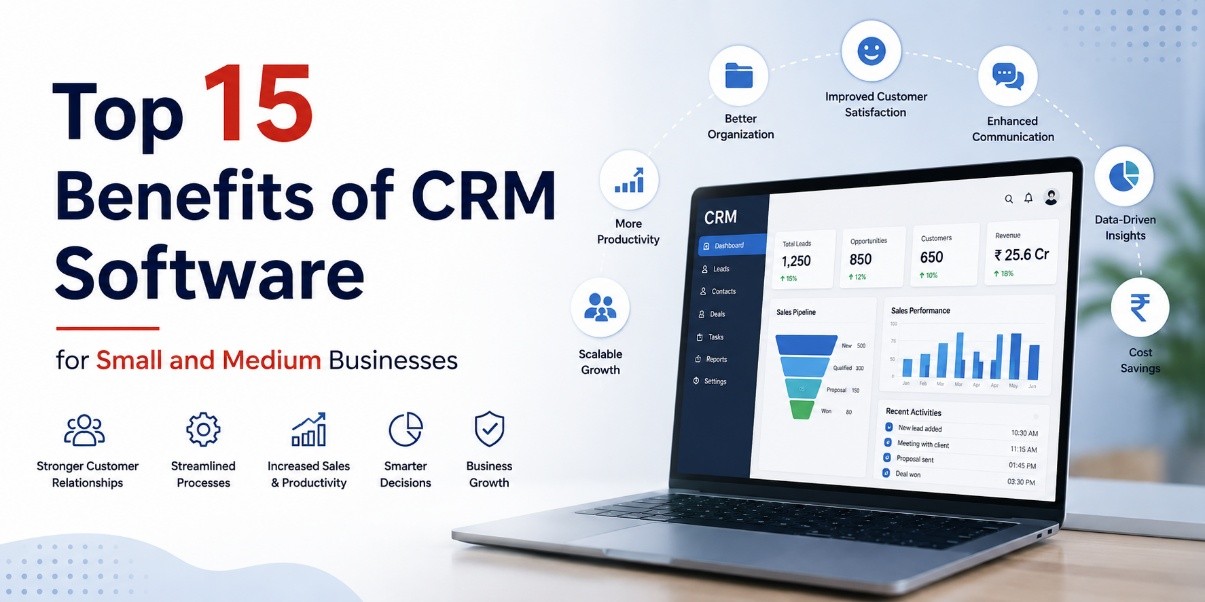
Top 15 Benefits of CRM Software for Small and Medium Businesses
CRM software benefits can make a significant difference for small and medium-sized businesses by helping them manage customers, leads, sales follow-ups, emails, and customer data more efficiently. As your business grows, keeping customer information organized across countless spreadsheets and different tools becomes increasingly difficult.
This is where CRM software for small businesses can make a significant difference. Customer Relationship Management (CRM) software brings customer information, sales activities, communication, follow-ups, and business data into one centralized platform. Instead of relying on spreadsheets, sticky notes, emails, or individual employees' memory, your team can manage customer relationships through a structured CRM system.
Modern CRM platforms are no longer designed only for large corporations. Affordable cloud-based solutions, mobile CRM apps, integrations, and automation features have made CRM software for SMBs practical for businesses of almost any size.
If your business is still managing customers manually, understanding the benefits of CRM software can help you determine whether it's time to switch to a more organized, scalable, and efficient customer management system.
What Is CRM Software?
CRM software, or customer relationship management software, is a system designed to help businesses manage interactions with current and potential customers.
A CRM can store customer contact information, communication history, sales activities, purchases, support requests, notes, and follow-up tasks in one centralized location.
For small and medium businesses, this means employees don't have to search through different spreadsheets, emails, or applications to understand a customer's history.
A small business CRM can help teams:
- Manage customer information
- Track and qualify leads
- Monitor the sales pipeline
- Automate repetitive tasks
- Schedule customer follow-ups
- Improve customer support
- Analyze sales performance
- Increase customer retention
The biggest advantage is simple: your customer information becomes accessible, organized, and actionable.
Top 15 Benefits of CRM Software for SMBs
1. Centralized Customer Data
One of the biggest CRM software benefits is centralized customer information.
A CRM stores customer contact details, phone calls, emails, purchase history, notes, inquiries, and support interactions in a single customer profile.
Instead of searching through spreadsheets or old email conversations, your team can quickly access the information they need.
This makes CRM software for small businesses particularly useful when multiple employees interact with the same customers.
2. Improved Customer Relationships
Building strong customer relationships is essential for SMB growth.
CRM software gives employees access to a customer's previous interactions before they communicate with them. This allows businesses to provide more personalized conversations and relevant solutions.
By understanding customer preferences, previous purchases, concerns, and communication history, businesses can create a more consistent customer experience.
This is one of the most important CRM software benefits for businesses focused on long-term customer relationships.
3. Better Lead Management and Tracking
Managing leads manually can result in missed calls, forgotten follow-ups, and lost sales opportunities.
A CRM helps businesses track leads from the initial inquiry through qualification, follow-up, negotiation, and conversion.
Sales teams can see:
- New leads
- Lead sources
- Follow-up dates
- Lead status
- Sales activities
- Conversion stages
With better CRM lead management, businesses can reduce missed opportunities and create a more organized sales process.
4. Clear Sales Pipeline Visibility
Understanding where every sales opportunity stands is another major advantage of CRM software.
A CRM sales pipeline provides a visual representation of deals as they move through different stages.
For example:
New Lead → Qualified → Proposal → Negotiation → Won/Lost
Sales managers can quickly identify stalled deals, high-value opportunities, and leads that require immediate follow-up.
This makes sales forecasting more predictable and helps business owners make better decisions.
5. Time Savings Through CRM Automation
Manual administrative work can consume a significant amount of time.
CRM automation can handle repetitive activities such as:
- Follow-up reminders
- Email notifications
- Lead assignments
- Appointment reminders
- Data entry
- Task creation
- Customer notifications
These CRM automation benefits allow employees to spend less time on repetitive administration and more time on sales, customer service, and business growth.
6. Higher Sales Conversion Rates
A structured sales process can help businesses improve lead conversion.
CRM software enables sales teams to prioritize promising leads, schedule timely follow-ups, monitor sales activities, and identify opportunities that require attention.
Instead of treating every lead the same way, businesses can use customer and sales data to focus their resources where they are most likely to generate results.
7. Stronger Team Collaboration
When sales, marketing, and customer support teams work with separate information, customer communication can become inconsistent.
A CRM creates a shared source of customer information.
For example, when a customer moves from sales to customer support, the support representative can review previous conversations, purchases, notes, and issues without asking the customer to repeat everything.
This creates a smoother and more consistent customer experience.
8. More Accurate Sales Forecasting
Business owners need reliable sales information to plan future growth.
CRM reporting and pipeline data can help businesses estimate future revenue based on current opportunities, historical sales activity, and deal stages.
Instead of relying entirely on assumptions or salesperson estimates, businesses can use real-time CRM data for better sales forecasting.
This can support decisions related to:
- Hiring
- Inventory
- Marketing budgets
- Cash flow
- Business expansion
9. Fewer Manual Data Entry Errors
Spreadsheets and manual data entry can lead to duplicate records, incorrect contact details, missing information, and outdated customer data.
CRM systems provide standardized processes for storing and updating customer information.
Many platforms can also automatically capture information from website forms, emails, and other integrated systems.
As a result, businesses can maintain cleaner and more reliable customer databases.
10. Improved Customer Retention
Acquiring a new customer can often require more effort than retaining an existing one.
CRM software helps businesses identify customers who may need additional attention.
Businesses can use CRM data to identify:
- Inactive customers
- Missed follow-ups
- Expiring contracts
- Previous customers
- Repeat purchase opportunities
- Customer service issues
These capabilities make CRM customer retention strategies more proactive.
Instead of waiting until customers leave, businesses can identify opportunities to reconnect and strengthen existing relationships.
11. Mobile CRM Access for On-the-Go Teams
Modern businesses are not always operating from a traditional office.
Sales representatives, consultants, service professionals, and business owners may need customer information while traveling or working at different locations.
Cloud-based CRM software and mobile CRM applications allow users to access customer records, update leads, add notes, and manage follow-ups from smartphones and tablets.
This makes CRM particularly useful for field sales and distributed teams.
12. Personalized Marketing Campaigns
CRM software can help businesses understand their customers based on purchase history, interactions, interests, and behavior.
This information can be used to create customer segments and more targeted marketing campaigns.
For example, businesses can create campaigns for:
- New customers
- Repeat customers
- Inactive customers
- High-value customers
- Customers interested in specific products
Instead of sending the same message to everyone, businesses can create more relevant and personalized communication.
13. Scalability for Growing Businesses
A CRM system can grow alongside your business.
As your customer base increases, you can add users, sales pipelines, workflows, integrations, and automation without completely rebuilding your customer management process.
This makes CRM software for growing businesses a practical long-term investment.
A properly implemented CRM can provide the foundation needed to manage increasing customer volume without creating additional administrative complexity.
14. Better Customer Support and Service
Customer support teams need quick access to accurate customer information.
CRM software allows support representatives to review previous conversations, purchases, service requests, complaints, and other customer details.
This reduces the time required to understand an issue and can improve response and resolution times.
Better access to customer history also helps create a more personalized support experience.
15. Data-Driven Business Decision Making
One of the long-term benefits of CRM software is access to business data and reporting.
CRM dashboards can provide insights into:
- Sales performance
- Lead conversion
- Customer behaviour
- Sales trends
- Team performance
- Pipeline value
- Customer retention
Instead of making decisions based only on assumptions, SMB owners can use actual business data to identify opportunities and problems.
CRM Benefits at a Glance
| Benefit Area | What It Solves | Business Impact |
|---|---|---|
| Centralized Customer Data | Scattered customer information | Faster and more informed conversations |
| Lead Management | Leads being missed or forgotten | Higher lead-to-customer conversion |
| CRM Automation | Repetitive administrative tasks | More time for sales and service |
| Sales Pipeline | Poor sales visibility | Better revenue planning |
| Team Collaboration | Siloed customer information | Consistent customer experience |
| Customer Retention | Reactive follow-ups | Lower churn and higher customer lifetime value |
| Reporting | Decisions based on assumptions | Data-driven business strategy |
Pro Tip: Don't choose a CRM based on features alone. Choose a CRM your team will actually use every day. A simple CRM with high adoption is often more valuable than a powerful CRM that employees avoid using.
How to Choose the Right CRM for Your Small Business
Choosing the best CRM for small business depends on your company's size, budget, processes, and growth plans.
Before selecting a CRM platform, consider the following factors.
Budget and Pricing
Look beyond the advertised starting price. Check per-user costs, feature limitations, setup fees, and additional charges for integrations or advanced features.
Ease of Use
Your CRM should be simple enough for employees to learn and use consistently. A complicated system can reduce adoption.
Integrations
Check whether the CRM integrates with your existing email platform, accounting software, website forms, marketing tools, communication platforms, and other business applications.
Mobile Functionality
If your employees work remotely or visit customers, mobile CRM functionality can be essential.
Automation Features
Look for automation features that can reduce repetitive work, including follow-up reminders, lead assignment, email automation, and workflow management.
Reporting and Analytics
Choose a CRM that provides useful sales reports, dashboards, customer insights, and performance analytics.
Customer Support
Small businesses may not have dedicated IT teams. Reliable customer support can therefore be an important factor when selecting CRM software.
Is CRM Software Worth It for Small Businesses?
For many small businesses, CRM software can be a valuable investment because it replaces fragmented customer management processes with a centralized system.
If your business is experiencing:
- Increasing numbers of leads
- Missed follow-ups
- Growing customer databases
- Sales team coordination problems
- Too many spreadsheets
- Repetitive administrative work
- Poor sales visibility
then implementing a CRM may help create a more organized and scalable process.
The key is choosing a CRM that matches your team's actual requirements rather than selecting a platform simply because it has the most features.
Final Thoughts
The benefits of CRM software extend far beyond simply storing customer contact information. From centralized customer data and better lead management to CRM automation, sales forecasting, customer retention, and business reporting, CRM software can transform how SMBs manage customer relationships.
For small and medium businesses, the goal isn't to replace the personal relationships that make the business successful. It's to create a system that protects and scales those relationships as the business grows.
The right CRM software for small businesses can help your team spend less time searching for information and more time selling, supporting customers, and building long-term relationships.
In 2026, CRM adoption is increasingly becoming a practical business advantage rather than a tool reserved for large enterprises.

